
Replit makes it easy to start coding fast. But once you push beyond quick demos or casual projects, the limits show up. Slow performance. Confusing pricing. Fewer controls than you expect when things get serious.
If you’re using AI to build, test, or ship real projects, you’ll want tools that give you more flexibility, better AI support, and smoother workflows. I’ve spent time building, editing, and shipping small projects across multiple Replit alternatives to see how they actually behave in real workflows.
In this guide, I’ll break down the best Replit alternatives worth trying right now. Each one is picked for a specific use case, whether you’re experimenting with AI-assisted coding, deploying side projects, or building something you actually plan to scale.
What to Look for in a Replit Alternative
Before you compare tools, clarify what you need. Check which Replit features you use most. A real editor, a runnable environment, quick previews, easy deployment or sharing, and AI help. The alternatives should cover the same basics in your workflow, even if they do it differently.
Next, check performance and scalability. See how fast you can get a running app and what happens when you add more code and data?
Then look at pricing and plans. Explore the monthly price and check what counts as usage? Be clear on usage-based (credits, requests, compute hours), what triggers overages, and how you can control spending.
For security and privacy, look for projects with private access. For example, check if published apps rely on writing to the filesystem for storage.
Also, test collaboration. Check live cursors, multiplayer editing, and the ability to run code and see the same output together.
Best Replit Alternatives and Competitors
Let’s break down the top alternatives, and I’ll call out where each one beats Replit, and where it doesn’t. You can select based on your actual workflow.
1. GitHub Codespaces and GitHub Spark
GitHub offers you two different Replit-style paths. Codespaces is a cloud dev for GitHub repos (VS Code + terminal + containers). Spark is a prompt-to-app builder that generates a full-stack web app with storage, auth and publishes it to a managed runtime.
Compared to Replit, Codespaces is closer to a full IDE in your browser, and Spark when you want to build an app quickly with AI.
Codespaces start from a repository. You create a codespace from GitHub, VS Code, or the GitHub CLI, and it boots a cloud environment for that repo.
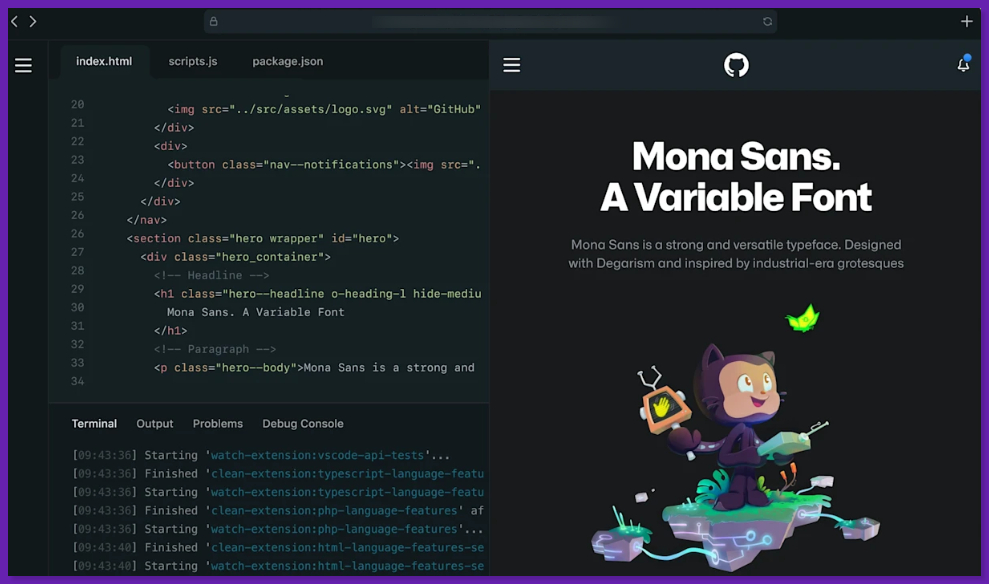
The best setup is when the repo has a dev container config committed (Configuration-as-Code). That config can define the base image, tools, extensions, env vars, and common port forwarding settings, so every developer gets the same setup.
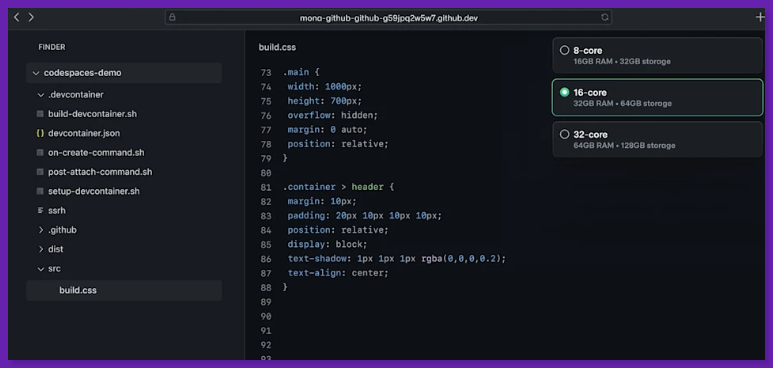
For bigger and complex repos, prebuilds can assemble the main parts of the environment in advance, so new codespaces start faster.
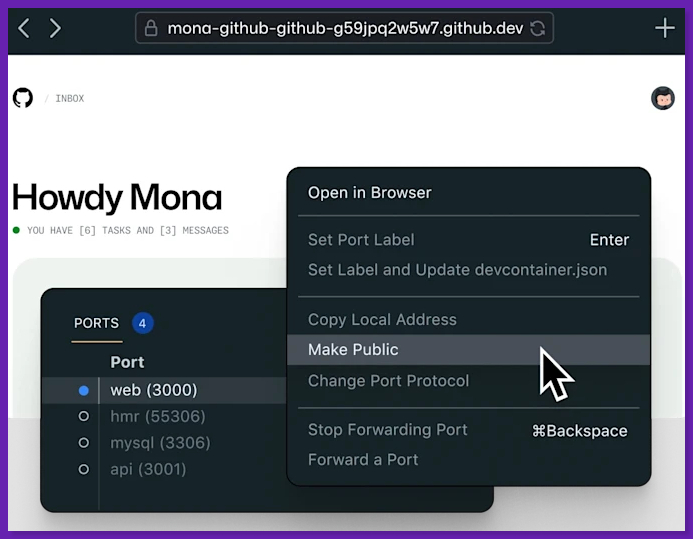
When you run a web app, Codespaces supports port forwarding (auto-detecting common localhost patterns) and lets you manually forward, share ports and choose HTTP/HTTPS.
Spark starts from a prompt. You can describe what you want → get a full-stack web app with data storage, AI features, and GitHub authentication.
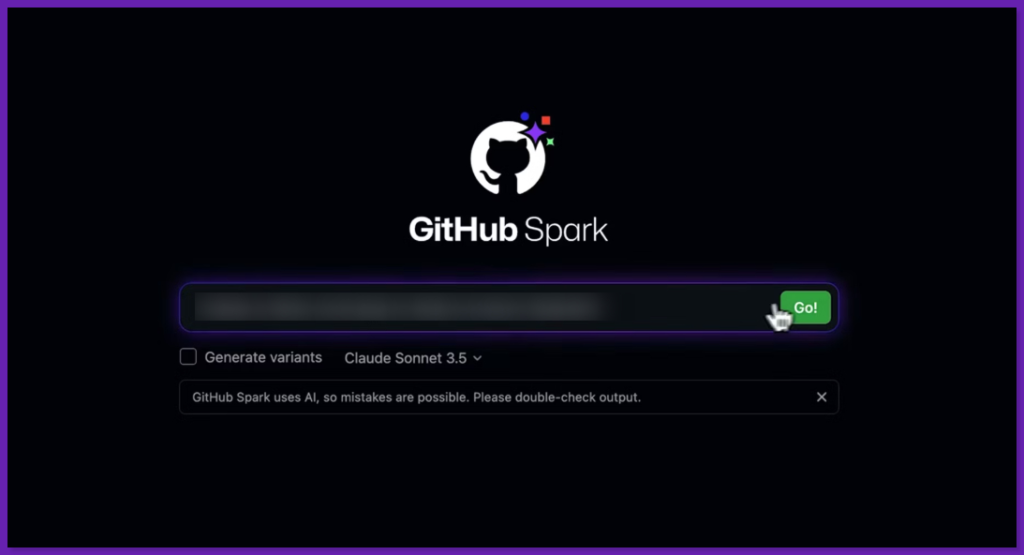
Then iterate with prompts, visual tools, code and deploy with a click to a managed runtime.
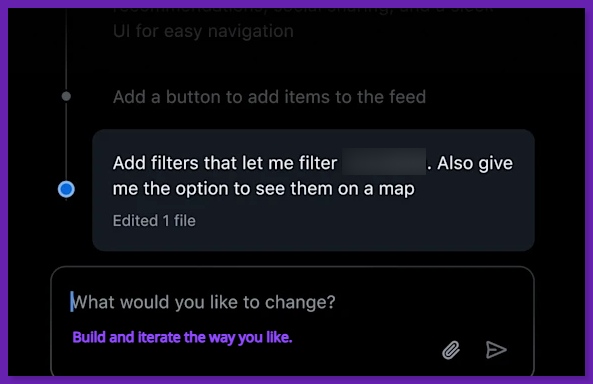
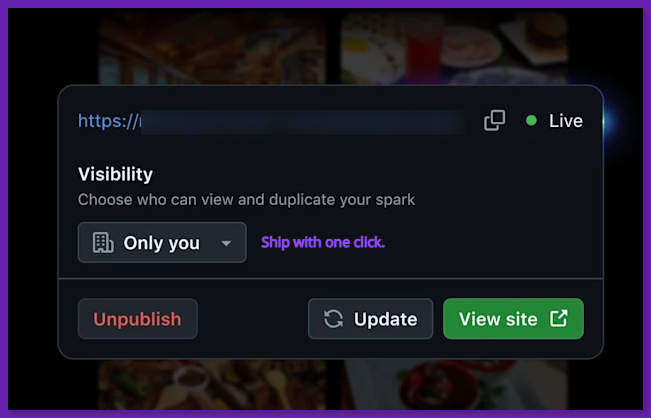
If you need more control, Spark also supports a path to dev work, like deploying from the command line via a Spark CLI that extends GitHub CLI. You can continue working in a codespace.
Codespaces and Spark Features
Some of the best Codespaces features are:
Full IDE + Terminal in the Cloud: Codespaces is a hosted dev environment (a VM + dev container) that is reproducible and shareable.
Dev Containers: The devcontainer.json file offers tools, frameworks, editor extensions, and configuration live.
Prebuilds for Fast Startup: Prebuilds are tied to repo + branch + devcontainer config and help avoid slow first boot waits.
Port Forwarding + Sharing Controls: Forward ports for previews, choose protocol, and (depending on org policy) share ports privately, with your org, or publicly.
GitHub Spark features include:
Prompt → Full-Stack Web App: Spark can quickly generate and iterate on an app, then publish it.
Built-in Auth + Storage: GitHub authentication and data storage included as part of the Spark experience.
Managed Publishing and Access: Spark apps can be deployed to the public internet. You can restrict visibility to yourself, specific members, or your team.
Opinionated Stack: React + TypeScript, and you can stay within its SDK and framework. External libraries may work, but test carefully.
GitHub Codespaces and Spark Pricing
Codespaces is metered, and the bill is based on compute time and storage per. The pricing starts at $0.18/hour for a 2-core machine and $0.07/GB-month storage. Personal accounts also include a monthly free quota.
Spark usage is billed through Copilot premium requests. Each Spark prompt consumes four premium requests. If you’ve enabled paid overages, extra premium requests are $0.04/request. So one Spark prompt can cost $0.16 beyond your included plan.
- If you want a real repo, terminal, debugging, and a familiar VS Code workflow, Codespaces is the best Replit alternative with repeatable setups via devcontainers.
- Spark is best for building apps. You can start with a prompt, get a working app with auth + storage, and publish quickly.
- Both pair well together. Spark can get you a working app quickly, and Codespaces help with deeper code-level iteration and tooling.
- Codespaces’ cost is metered, and leaving environments running can increase spend.
- Spark is opinionated, and there are compatibility caveats with external libraries.
- Spark iteration is budgeted. Every prompt costs premium requests. So heavy trial-and-error can feel expensive compared to code-first iteration.
My Honest Take: If our Replit need is a cloud IDE, you can try GitHub Codespaces. And if you need AI-generated app prototypes, try GitHub Spark. You can also move the project into a codespace when you need full control.
2. v0 by Vercel
v0 is Vercel’s prompt-to-UI builder that generates React/Next.js code styled with Tailwind (often with shadcn/ui). You can then iterate on it in a chat-like workflow.
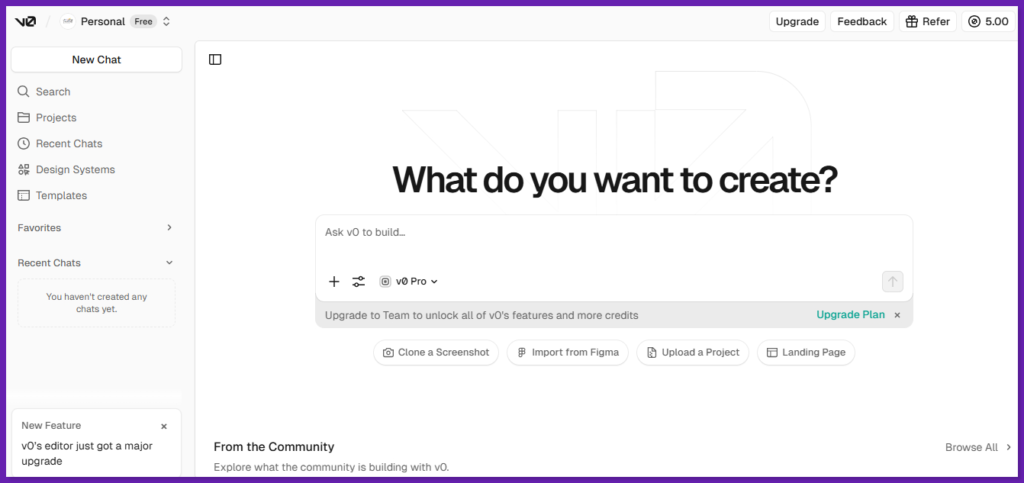
As a Replit alternative, v0 fits best if you want to spin up a web app UI fast, get something you can deploy, and keep iterating. It’s not a general-purpose cloud IDE for arbitrary languages and runtimes, though.
To test v0 by Vercel, I started from a blank prompt and asked for a clean, minimal landing page with a developer-tool look and strong accessibility.
v0 then created a short design brief and scanned the project structure. After that, it generated a full landing page.
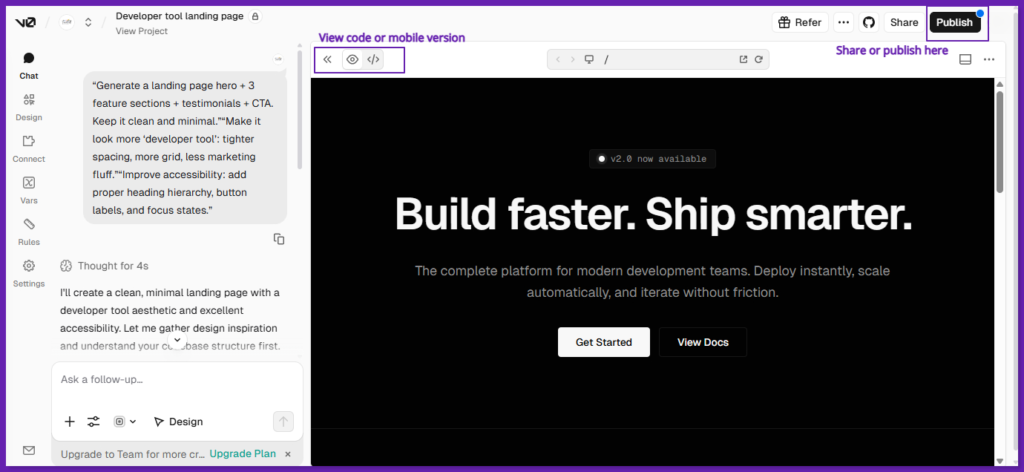
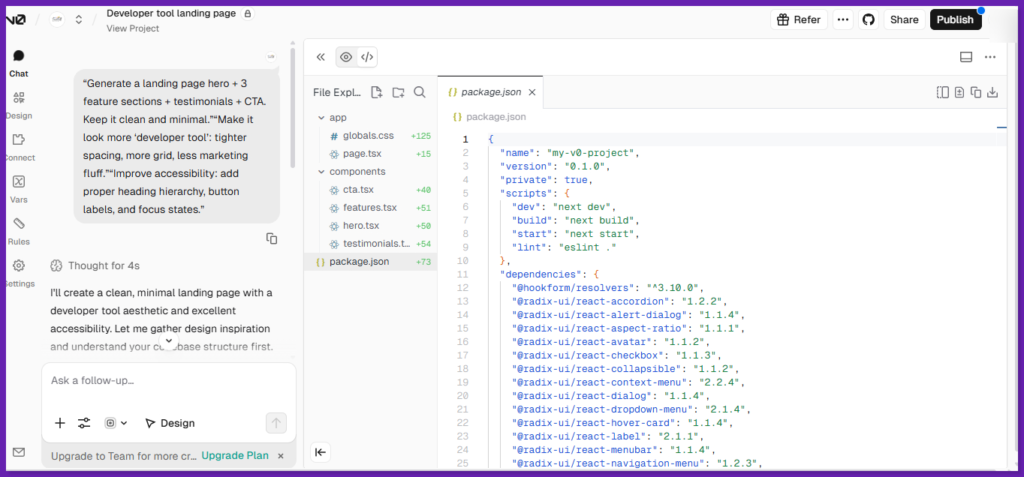
The output was solid: dark theme, tight grid, and clear spacing. There was proper heading order (H1 → H2 → H3), semantic sections, ARIA labels, and visible focus rings on interactive elements. I didn’t hit errors or broken UI states.
Next, I built a small internal tool called Customer Notes. I used three prompts: build the table UI first with mock data, then add an API route with an in-memory store, and add search, filters, and make it responsive.
v0 explored the codebase, and wrote a short design brief. Then it generated v1 of the full tool: customer table, add, edit, delete note flows with modals, and a notes drawer per customer.
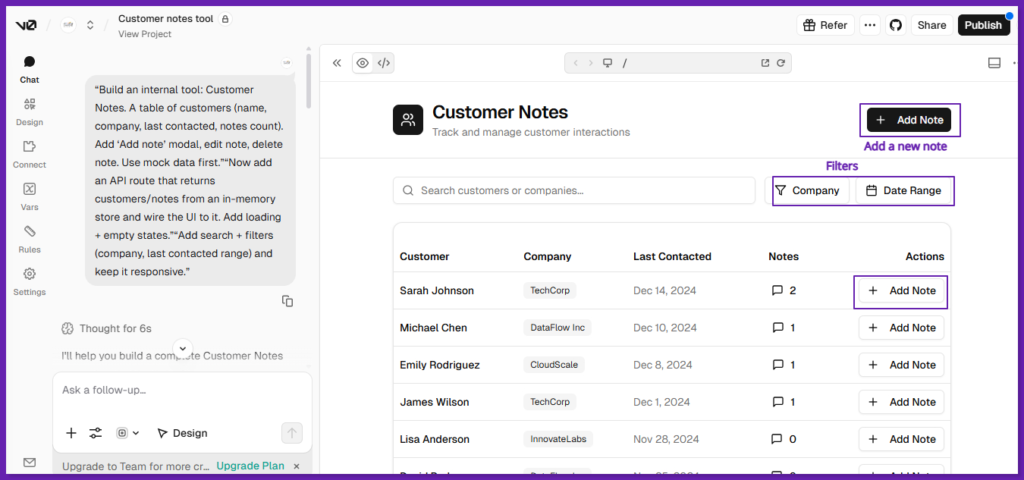
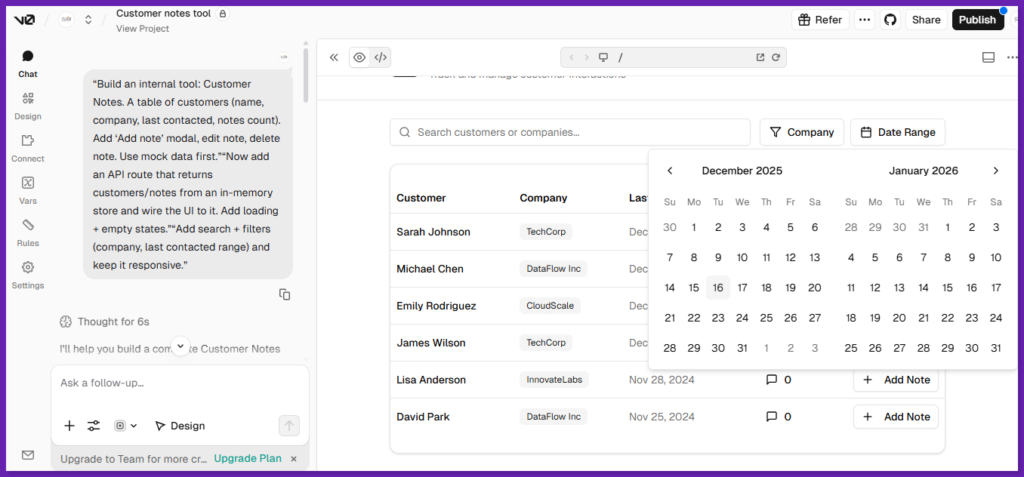
It also added loading and empty states, plus search across names/companies, a company filter, and a date range filter. Compared to Replit, it felt more like a guided Next.js app builder, and I liked it for checking package.json and dependencies.
V0 Features
Prompt-to-UI Generation: For React/Next.js (Tailwind + common UI patterns).
AutoFix + Quick Edits: Vercel describes a composite pipeline that uses retrieval + a base model + a streaming “AutoFix” pass to fix common issues during generation.
Design Mode: Fine-tune layout, typography, or spacing with visual controls.
Deploy to Vercel + GitHub Sync: Handy if you want to use a normal repo workflow.
Model API: Compatible with the OpenAI chat completions format (useful if you build tooling around v0 models).
Figma Import: Best if your workflow starts from design artifacts.
V0 Pricing
Vercel has shifted v0 to a monthly credit model with add-on usage. Current pricing plan includes free for $0/month, premium for $20/month, team for $30/user/month, business for $100/user/month, and custom pricing for enterprise.
There’s also model token pricing listed for v0 Mini, Pro, and Max. It matters for heavy usage or API-driven workflows.
- Fast UI prototyping when building a web product, and you need a strong first draft of the interface.
- If your stack is Next.js + Tailwind + shadcn/ui, v0 performs better than general IDE-first tools.
- Quick outputs that you can pull into a repo.
- Compared to Replit, v0 moves you toward the deployment pipeline earlier.
- If your Replit workflow depends on terminal-first dev, multi-language runtimes, or a traditional editor experience, v0 won’t replace that. It’s primarily optimized for web app generation and iteration.
- It can scaffold UI, but you need to implement a real backend, data, or state architecture yourself.
- Framework lock-in (React/Next.js + Tailwind/shadcn) is not practical.
My Honest Take: If you need a Replit alternative to build and ship web UIs, v0 is a stack-native option, especially if you work in Next.js + Vercel. It’s a UI accelerator, and use it to get to a clean first draft fast, then switch into normal engineering mode (repo, reviews, tests) to make it real.
3. Bubble
Bubble is a no-code, full-stack builder. You can design pages with drag-and-drop, store data in Bubble’s database, and wire up actions with workflows.
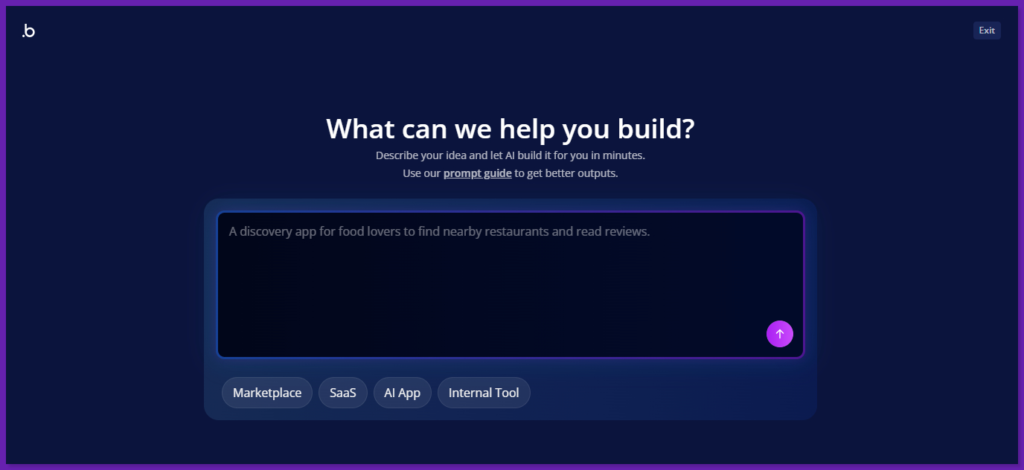
Compared to Replit, Bubble works best when you need an MVP or internal tool fast without coding. The flow is simple. You can build the UI, define your data types, then connect buttons and forms to workflows. It’s fast once you learn it, but logic-heavy apps have a real learning curve.
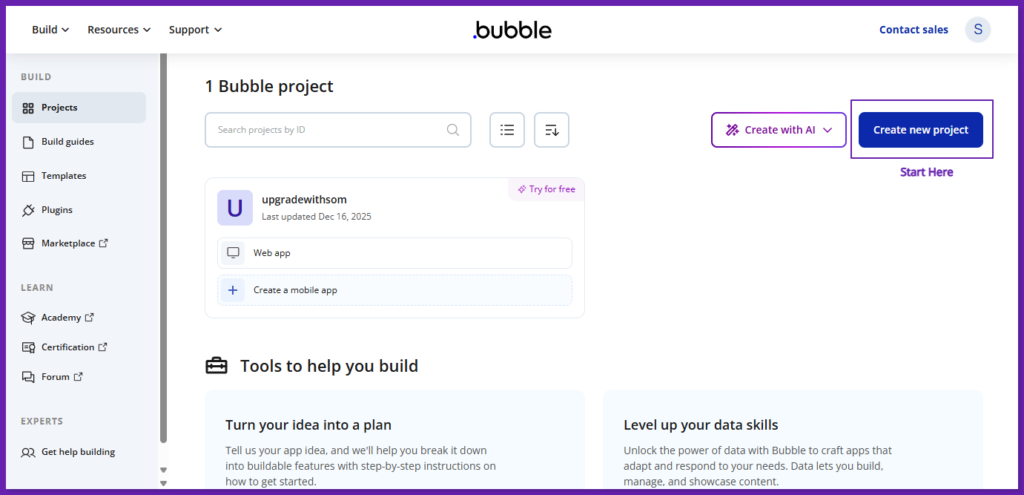
To test Bubble, I started with a blank web app (no template) to build something from scratch.
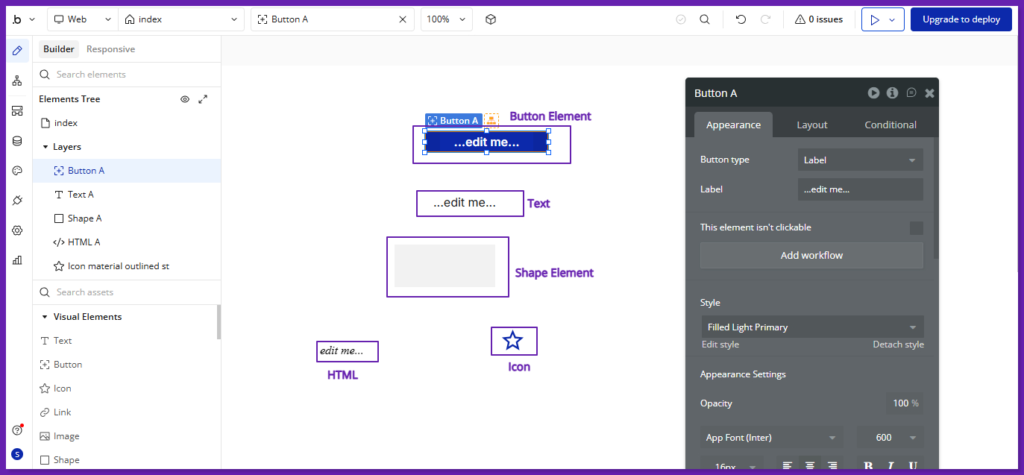
I simply tried some elements, just to see how the editor feels and how layout works. Bubble is clearly built around visual building.
Then, I built a simple client portal with private data. I prompted to create the data types (Client, Project, Message, FileRequest), build three pages (Login, Client Home, Project Detail), then connect everything with workflows.
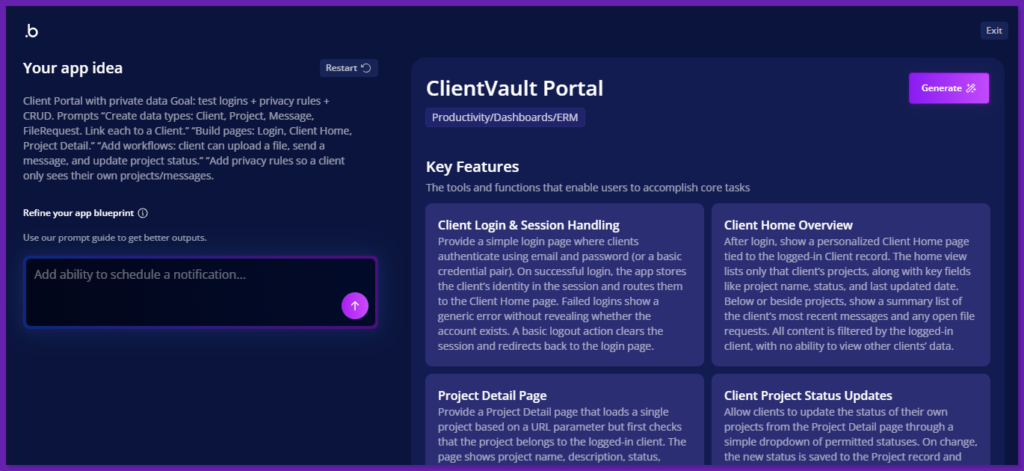
Bubble’s workflow editor is drag-and-drop, so I could add actions like “create a message,” “update a project,” and “save a file” without writing code.
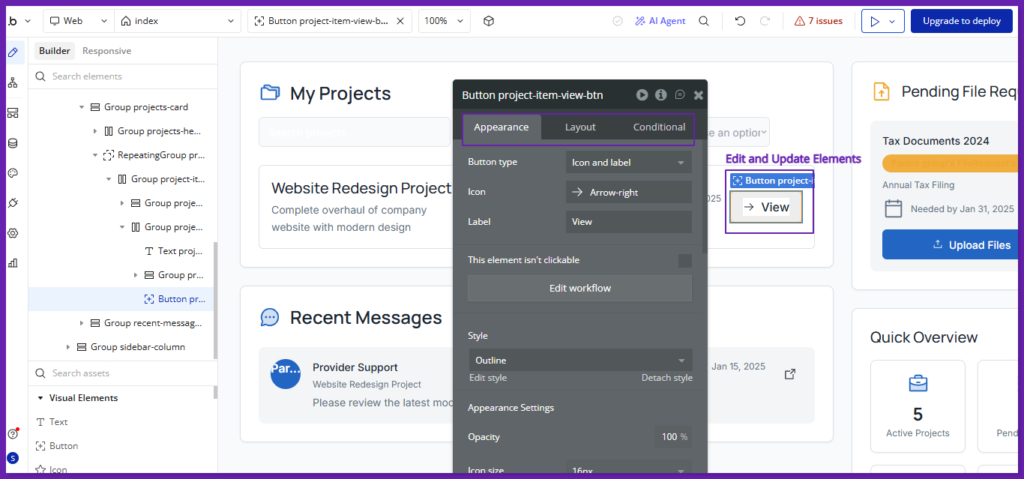
I added privacy rules so each client only sees their own projects and messages. It was also easy to store and manage data in its built-in database. Here’s how it turned out:
I think Bubble is faster and better than Replit for client portals like this. But you give up the real IDE + full code control feel.
Bubble Features
Visual Page Builder: Drag-and-drop elements to build pages, then control layout and styling in the editor instead of writing HTML/CSS.
Responsive Design Tools: Responsive engine inside the same editor to adjust layouts for different screen sizes using a grid or container approach.
Workflow-Based Logic: Bubble apps run on workflows. An event (like a button click) triggers a sequence of actions (save data, show, hide UI, send emails, call APIs, etc.).
Backend Workflows + Workflow API: You can run server-side workflows (background jobs) and trigger them on a schedule or via API calls from external systems.
API Connector: Bubble’s API Connector plugin helps you connect to external JSON/REST APIs (GET/POST/etc) to pull or send data to other tools.
Plugins Ecosystem: You can install plugins to add common features (payments, UI components, integrations).
Bubble Pricing
Bubble pricing is based on plan tiers: Free ($0/month), Starter ($59/month), Growth ($209/month), Team ($549/month), and Enterprise (custom). Also, if you exceed the included workload, you can buy more via tiers or pay overages. Overages can be pay-as-you-go.
- Great for internal tools, MVPs, and SaaS-style web apps when speed matters.
- One platform for UI + logic + data + hosting, so you don’t assemble a stack on day one.
- Easy to connect to other tools using the API Connector.
- Costs can rise with usage as the workload grows.
- The codebase and backend patterns are different from usual repo handling.
My Honest Take: Bubble is a good alternative if your goal is “build and launch” without writing code. It’s great for founders and ops teams who need a working app fast. But if your main need is a code-first online IDE and complete control over the stack, I won’t call for a direct swap.
4. Glide
Glide is a no-code builder that turns your data (Glide Tables, Google Sheets, Airtable, Excel, etc.) into a working business app. You can build screens with ready-made components, then add logic with actions and workflows.
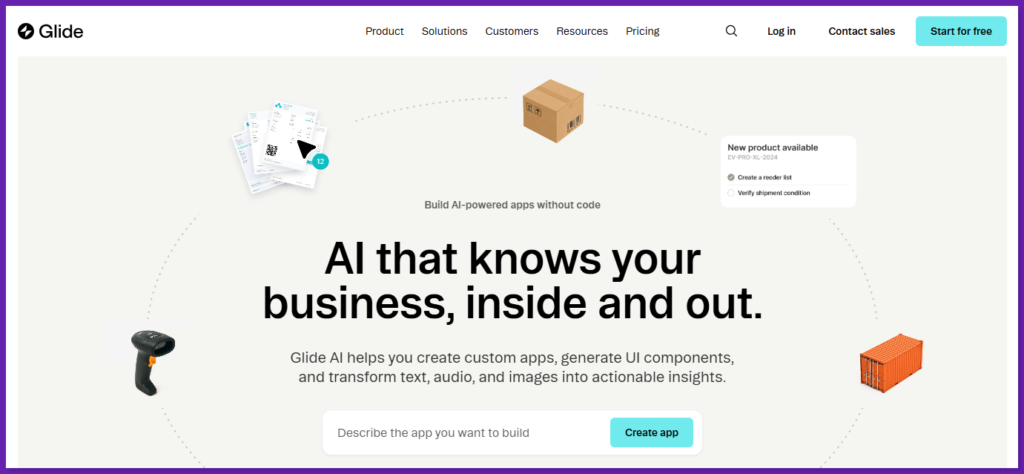
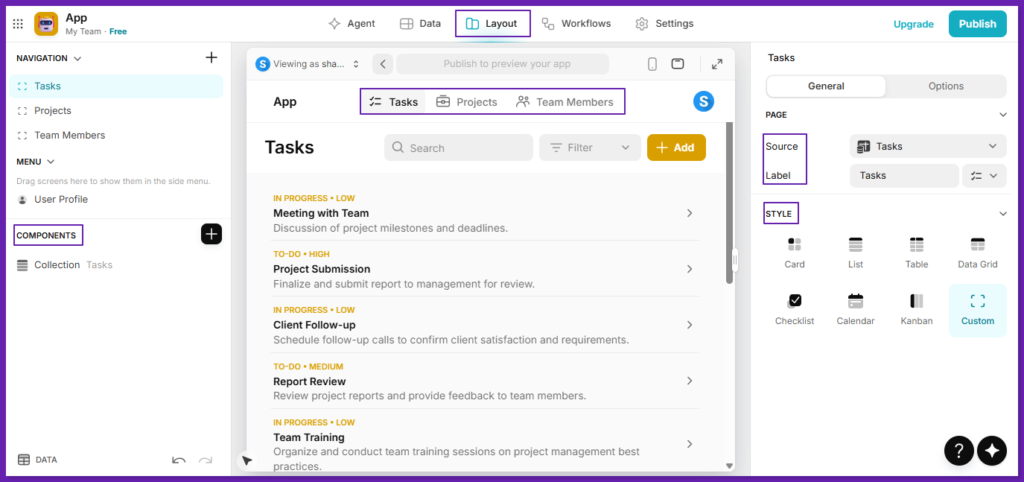
When I tested Glide, I picked a simple use case and asked to build a task manager.
Glide’s AI asked a couple of quick questions, suggested a basic structure (Tasks, Projects, Team Members), and I accepted.
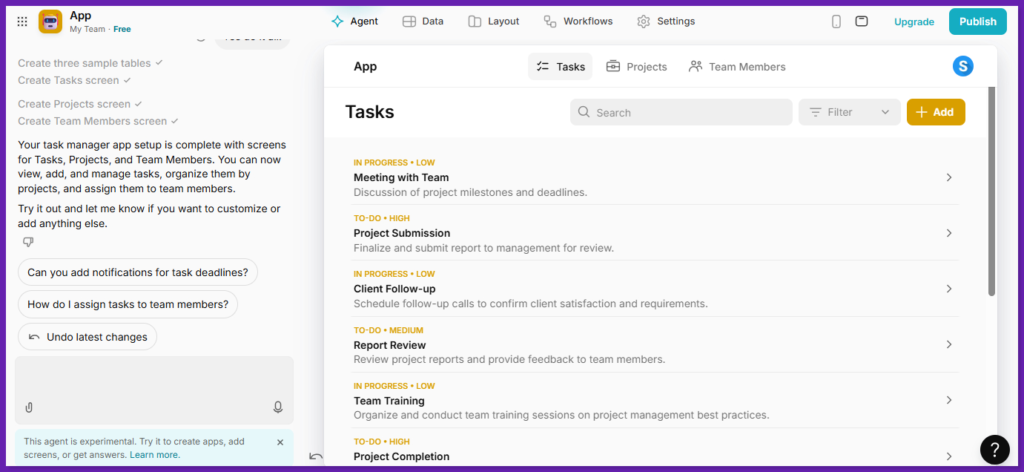
In a minute, it created sample tables and generated the main screens for each one. So, I could immediately add tasks, group them under projects, and assign them to people.
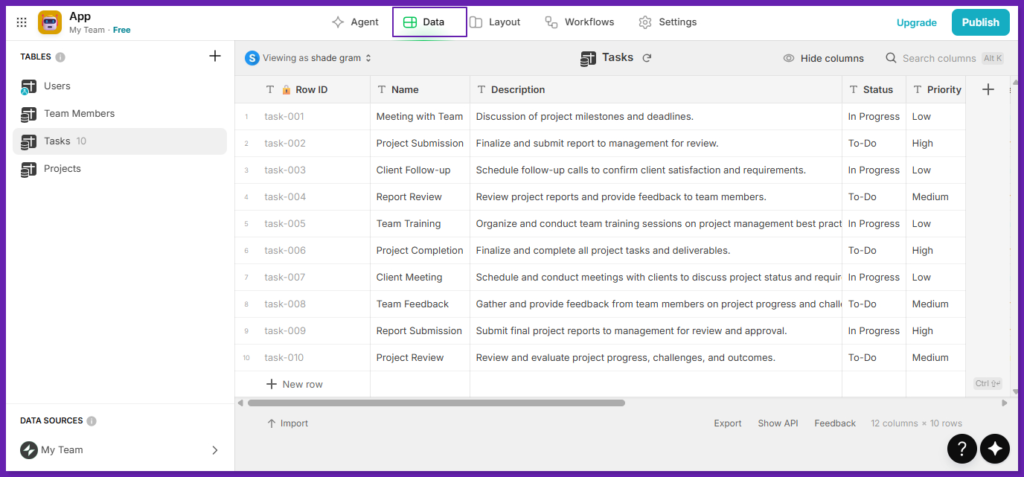
There were built-in actions like Add Row, Set Column Values, navigation steps, and more. I could also change the style to card, list or a table.
There were also workflows with multi-step automation and different triggers (user actions, schedules, email, webhooks).
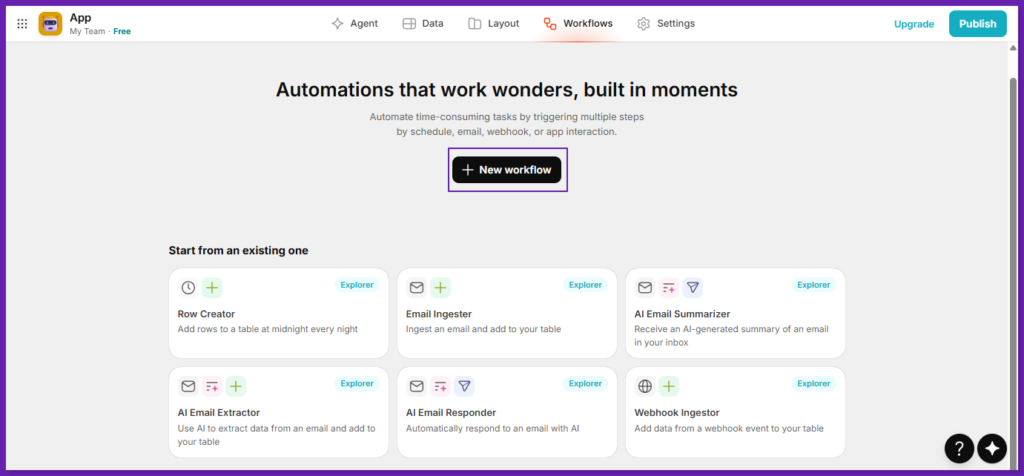
Compared to Replit, it felt faster for a simple business app because I didn’t have to set up a project or code the CRUD UI.
Glide Features
UI Builder and Components: 40+ UI components, even on the Free plan (tables, forms, buttons, etc.), and a polished default look.
Data Sources and Scale Options
- Glide Tables: Built-in data source that’s simple for CRUD apps.
- Big Tables: Glide’s higher-scale database, for large row counts and faster performance.
- External sources (plan-dependent): Google Sheets, Airtable, Office 365 Excel, and high-scale sources like SQL, BigQuery on Enterprise.
Actions, Workflows, and Automation
- Actions: Attach app behavior to UI events (button clicks, form submits, row taps).
- Workflows: Combine steps, conditions, loops, and triggers (like webhook-based workflows).
- Call API: Call any HTTP endpoint and return data into the app. It can be used in actions or computed columns.
- Integrations: Glide has an integrations directory (and tools like Slack, Stripe, DocuSign, calendars, and more).
AI Inside Apps: Use an AI assistant, and you can do things like audio-to-text, image-to-text, generating text, and parsing text into structured types (date, number, choice, JSON).
Security and Access Control: restrict data access at the row level based on the signed-in user’s email (server-enforced). SSO is supported for Enterprise teams (SAML and OIDC).
Glide Pricing
Glide lists the following pricing plans: Free, Explorer, Maker, Business, Enterprise, with limits around apps, users, data sources, and updates. I tried the free one with 25,000 rows in Glide Tables and 40+ components.
- Very fast for CRUD tools, dashboards, and portals built for business data.
- Good security for internal apps, and Row Owners for access control.
- Good automation with workflows + run history, without backend code.
- It leans into turning Sheets or Airtable-style data into usable apps.
- Limits and pricing are tied to plan features (apps, updates, data sources), so the plan can shape what you build.
- Good for web apps, PWAs, and business workflows. Not focused on deep custom backend engineering.
My Honest Take: Glide is a strong Replit alternative for internal tools if you want speed and a clean, business-ready UI based on data. But if your main need is a general cloud IDE (languages, servers, debugging, full control), Glide won’t replace that.
5. Bolt
Bolt.new sits in between a no-code tool and a complete dev environment. Instead of manually wiring React, Node, databases, and hosting, you can describe what you want. Bolt then generates a working app: frontend, backend, and database, and uses a modern stack.
It’s a browser-based AI with no installs, no local config. There is a prompt box, code editor, terminal, and live preview in one tab.
It is mainly for JavaScript/TypeScript web apps, while Replit is more general-purpose and supports lots of languages and project types
Bolt’s stack is very much “serious dev, but automated”:
- Frontend: React + Tailwind CSS
- Backend: Node.js + Express
- Database: PostgreSQL, with Prisma as the ORM
- Environment: WebContainers, so Node and npm run directly in your browser.
- AI Engine: Anthropic’s Claude 3.5 Sonnet, which turns natural-language prompts into code.
- Integrations: Vercel/Netlify for deployment, plus Supabase, Firebase, Stripe, GitHub, Expo, Figma, and more.
The code it generates isn’t some obscure DSL. It’s normal React/Node/Postgres, you can export, edit locally, and collaborate on it like any other project.
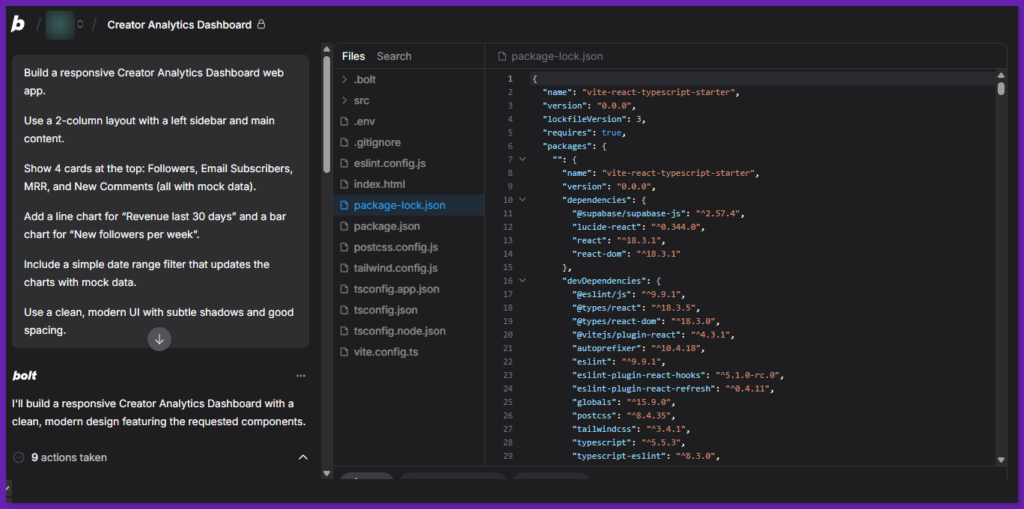
To see how Bolt.new handles more “real app” analytics work (other than landing pages or toy CRUD), I asked it to build a responsive Creator Analytics Dashboard from scratch.
The initial scaffold was impressive. In a single prompt, Bolt spun up a fluid main content area. Four stat cards across the top of the main panel, each showing a label and mock numbers.
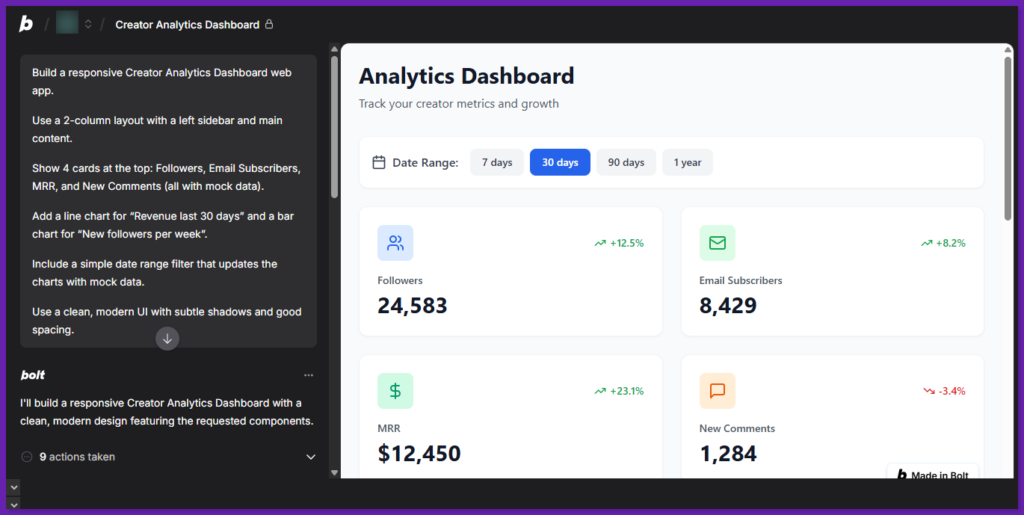
A chart section under the cards. It was wired in a charting library and created placeholder components for the Revenue line chart and Followers bar chart.
A very decent visual baseline: Tailwind classes for spacing, soft shadows on cards, and a neutral background that already looked “dashboard-ready.”
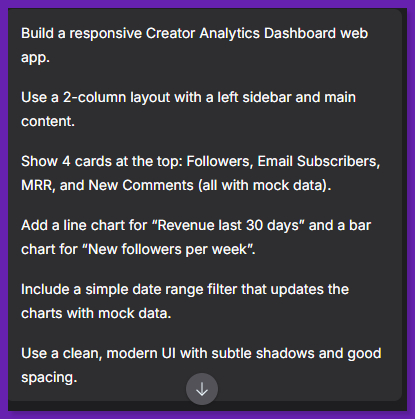
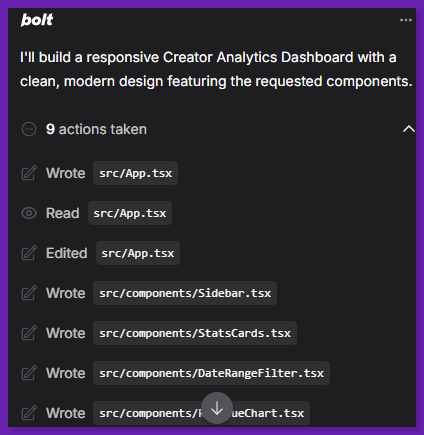
Responsiveness was also handled reasonably well. On a smaller viewport, the four metric cards are stacked into two rows, and the charts are collapsed neatly below, without writing any manual media queries.
The mock data gives it just enough life to test ideas. The structure can be used for live API feeds, depending on integration time and tweaks required.
Bolt Features
Bolt.new focuses on reducing friction at every step of app building:
Project Framework and Deployment: Describe your app in plain language, and Bolt scaffolds the project for you. It’s good for initial project structures, managing npm packages, and basic server config. Also, there is a one-click deploy to Netlify that works well for small apps.
Full-Stack Generation: Frontend, backend, database schemas, and API endpoints are generated together.
Web IDE: Everything runs in the browser, file explorer, terminal, and preview. There is no local setup.
Modern Tech Stack: Production-capable tools by default (React, Tailwind, Node, Postgres).
Integrations and Deployment: Easy hooks into Stripe, Supabase, Firebase etc., plus one-click deploy to Vercel/Netlify.
Enhance Prompt: Refine specific parts of your app without starting from scratch.
Versioning and Export: Edit the generated code, save versions, and export the project for local or team development.
Bolt Pricing
Bolt runs on a token system. The free plan offers up to 300k tokens/day, which is enough for experiments. Pro Plans cost around $25-$30, and a custom quote for the Enterprise plan.
Every AI action consumes tokens. Generating a whole app costs thousands. Multiple iterations or debugging sessions can easily burn millions. You may burn over 1M tokens in a single day just fixing errors. A “diffs” mode helps by only updating changed file parts, but it’s not enabled by default.
- Great speed for prototypes, hackathons, client demos, and MVPs.
- Beginner-friendly. There is no local setup, and minimal jargon.
- True full-stack generation and pretty UI.
- Good default UI/UX. Modern, clean design out of the box.
- Runs the app while it codes. Package installs + backend server + preview all happen in one place.
- Bolt is suitable for JS-based full-stack apps. Replit is better if you need Python, C++, etc.
- Token-based pricing can get expensive, especially during debugging loops.
- Debugging and deployments need real dev skills when things go wrong.
My Honest Take: Bolt is excellent for building a web app in the browser with AI assistance. You can use the agent to run commands and keep the project working as it goes. For JS full-stack prototypes and internal tools, it’s one of the closest options to Replit.
6. Lovable
Lovable is a prompt-first app builder. You can describe what you want, it generates the app, and you can then iterate through chat. Also, you can make precise UI changes (through Visual Edits) and click elements to adjust them directly.
For the backend, you can either connect to Supabase or use Lovable Cloud. So you get database, auth, and storage without doing the setup yourself. If you want code ownership or a normal dev workflow, you can sync the project to GitHub in a few clicks.
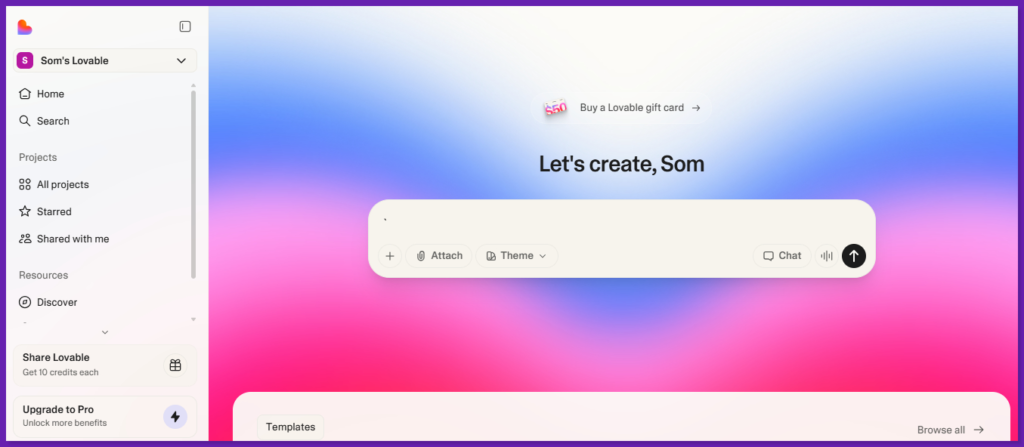
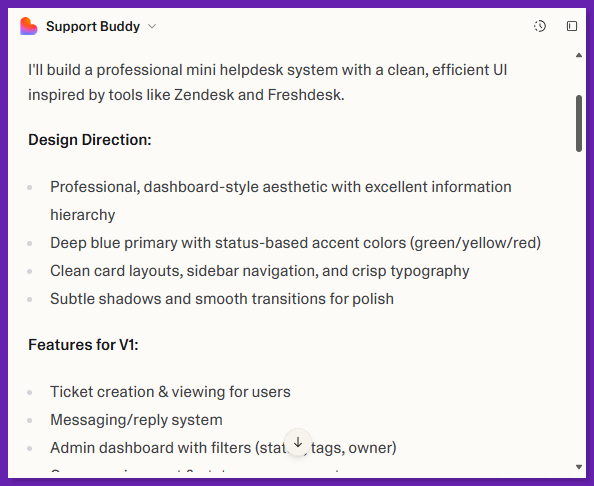
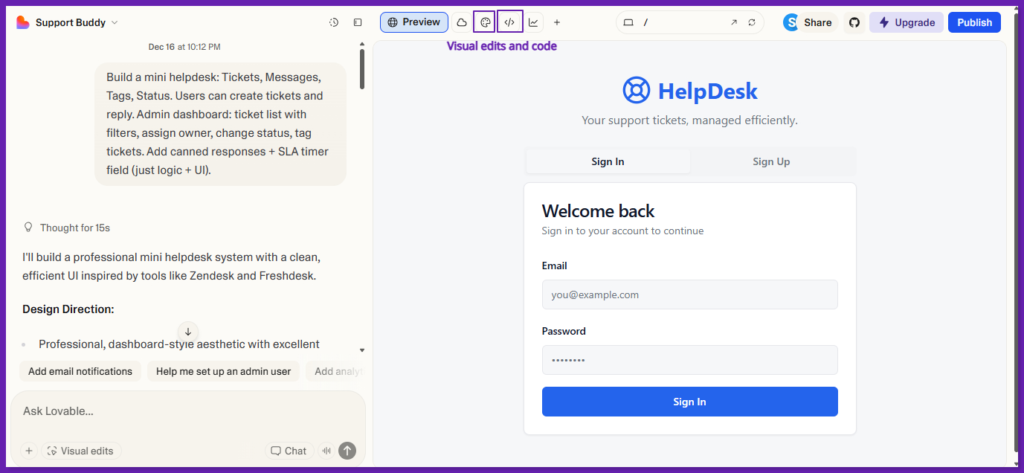
I tested Lovable and built a mini helpdesk app with tickets, messages, tags, status, an admin dashboard, canned replies, and a simple SLA timer.
It first wrote a quick design plan (dashboard layout, sidebar, clear table UI), then asked me to enable Lovable Cloud so it could set up the backend.
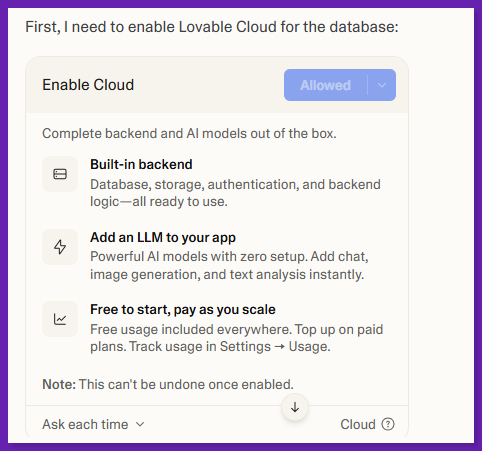
After I allowed it, Lovable generated the database schema for me. The status, priority enums, profiles + roles, tickets, messages, tags, and canned responses. It also added row-level security policies so users and staff see the right data, inserted default tags, and enabled real-time updates for tickets and messages. And even fixed a small security warning in the SQL.
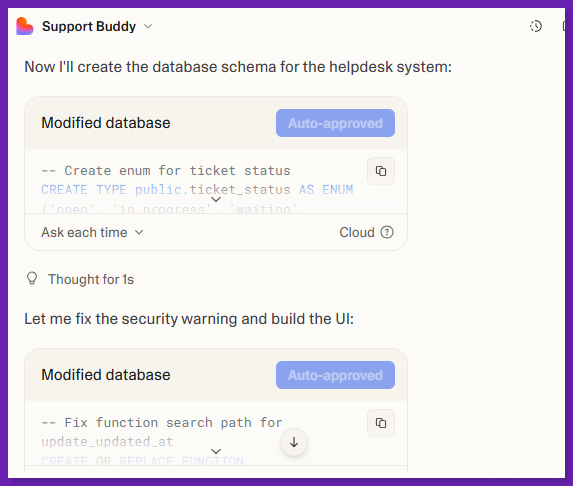
Compared to Replit, Lovable did the backend setup, schema, and security automatically. While in Replit I’d usually wire that up myself in code and the terminal.
Lovable Features
Chat-Based Flow: Describe features, and Lovable generates UI + logic changes through edits.
Visual Edits / Select: Click an element and adjust layout, spacing, text, and styling without writing prompts for every tiny change.
Themes + Design Tools: Create or apply themes and control typography/spacing across the project.
GitHub Sync: Export + backup + collaborate in a standard repo, and even work locally in your own IDE.
Code Ownership: As per Lovable, you own the code and can export or sync to GitHub anytime.
Lovable Pricing
Lovable uses credits. The free plan offers 5 free credits daily. Pro is $25/month with 100 credits plus custom domains and permissions. Business is $50/month, and adds SSO, opt-out of training, and more controls.
- Fast MVPs and internal tools without setting up a project from scratch.
- UI tweaks are easier and more controlled.
- Supabase integration (or Lovable Cloud) gives you a practical route for auth + DB + storage.
- GitHub sync will help if you want to move to a normal repo and dev process.
- Simple pricing model for starters. Plans are credit-based, with monthly and daily resets.
- Daily and monthly limits reset on a schedule. So heavy back-and-forth iteration can get expensive or slow you down.
- If your workflow needs terminal-heavy debugging, multi-language projects, or full environment control, Replit is usually a better fit.
- Complex apps still need real manual review.
My Honest Take: Lovable is a good Replit alternative for people who want speed for MVPs, internal tools, and web apps. It’s also better than prompt-only builders because the visual edits reduce time for small UI changes.
If you need a general-purpose coding workspace where you can build anything and control everything end-to-end, Replit is a better choice.
7. Superblocks
Superblocks is an internal app platform for teams that need secure dashboards, admin panels, workflows, and scheduled jobs. They connect to real company systems (databases, APIs, warehouses, SaaS tools). It uses three ways to build: AI (Clark), visual editing, and code.
Superblocks is best when you use Replit to ship internal tools fast. It’s not a general cloud IDE for any project. It’s more of an internal tools + governance layer your company can standardize on.
The setup path is involves connecting data sources, building UI (tables/forms/charts), adding business logic with workflows, then shipping with permissions and audit logs.
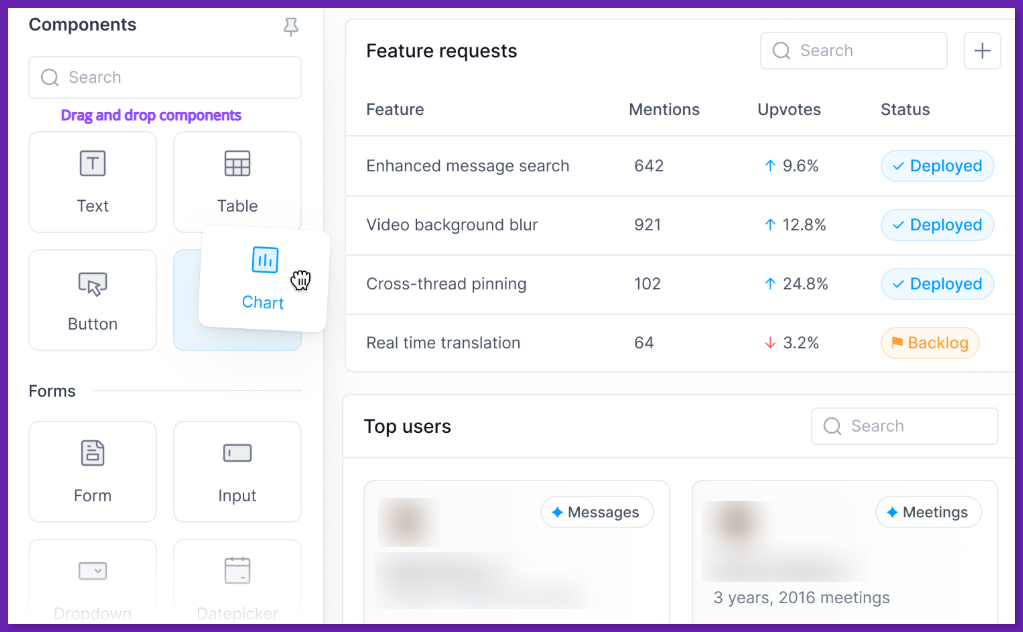
I tried connecting the UI to a database, API, and built the main logic in the visual workflow builder. So pagination, errors, and control flow didn’t need boilerplate.
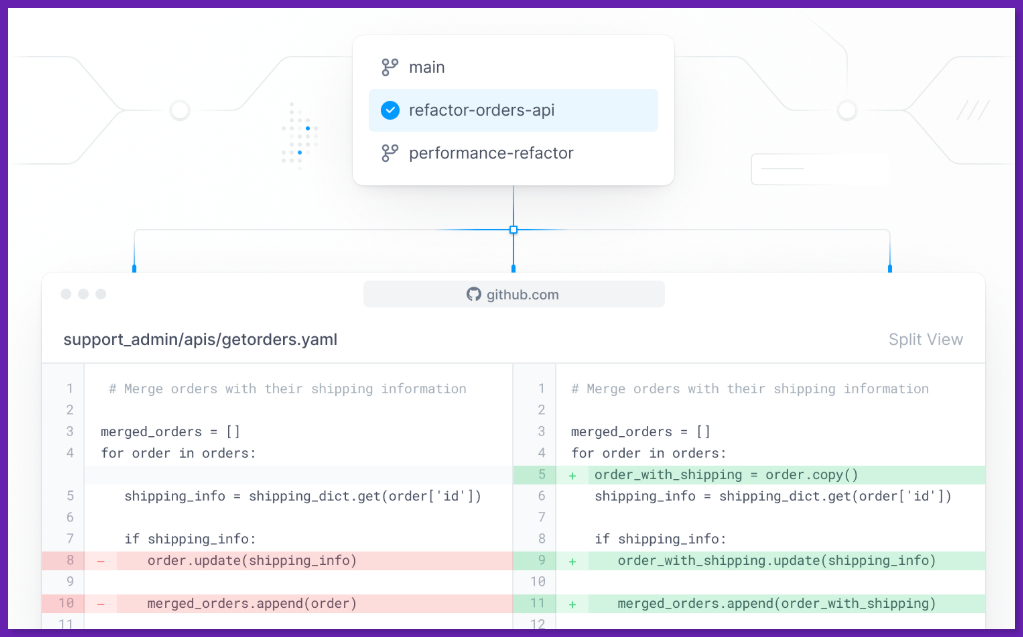
The trace view and AI assistant are also helpful to spot the slow step and fix the flow. I also tried the Git workflow (branches + review in GitHub/GitLab) and added role-based permissions to lock down actions.
Superblocks Features
Build Internal Apps: Visual UI builder for internal apps, and the ability to extend with code. Scheduled jobs and workflows with execution history and auditability.
Connectors: 50+ integrations across databases, warehouses, file storage, SaaS APIs, and even LLMs.
AI Build Mode: “Clark” is the AI agent for generating internal apps. It as able to generate most of an app, then you finish in the visual editor and code layer.
Enterprise Governance: Central permissions (RBAC), SSO, SCIM, audit logs, secrets management. On-prem or self-hosted agent options so customer data can stay in your network or VPC. Superblocks mentions that sensitive data doesn’t flow to their cloud.
Superblocks Pricing
Superblocks pricing is custom and based on the number of Creators, Internal Users, and External Users, plus the deployment model, and you need to request a quote.
You might see estimated numbers on directories, but I’d treat those as rough because Superblocks itself points you to custom quoting.
- Great fit for internal tools at scale. built-in governance (permissions, audit logs) for teams.
- The on-prem agent model protects sensitive data, and it stays in your VPC.
- Smooth to use. Connectors + workflows reduce the amount of custom backend you need for admin tools.
- Multiple build levels like AI (Clark), visual builder, and code. It is useful when business teams and engineers both need the same tools.
- Governance, agents, and deployment models are powerful, but they add setup decisions (especially in regulated orgs).
- The pricing terms are fine for enterprise, but bothersome if you just want to try a tool for a small team.
My Honest Take: Superblocks is a strong Replit alternative for internal tooling if you need security, permissions, and audit trails from day one. If you’re building admin panels, ops tools, approval flows, or anything related to company data, Superblocks is great due to governance and deployment controls.
Replit vs Alternatives: Feature Comparison
A quick glance at Replit’s competitors.
| Platform | Purpose | Dev Experience | AI / Automation | Best For | Notes / Trade-offs |
| Replit | Browser-based IDE + hosting | Zero-setup cloud IDE with multiplayer | Built-in AI agents. | Rapid prototyping, classrooms, lightweight full-stack | All-in-one platform, but shared compute can lag on heavy builds. |
| GitHub Codespaces | Cloud development containers | Full VS Code experience in cloud | AI via Copilot integration | Professional devs with GitHub workflows | Strong Git/CI support. Pay-as-you-go compute. |
| GitHub Spark | AI-first app builder | Natural-language prompt-to-app interface | Deep prompt-driven generation | Ultra-fast micro app prototyping | Aims to build full stack from prompts. |
| V0 (by Vercel) | AI-assisted full-stack app builder | Prompt and components → code | AI for UI and app scaffolding | Rapid prototyping with Next.js/React | Integrated with the Vercel ecosystem. Git sync is evolving. |
| Bubble | No-code app builder | Visual drag-and-drop | Minimal AI (UI workflows) | No-code web apps and internal tools | Powerful customization. Learning curve. |
| Glide | No-code app maker | Visual, spreadsheet-style builder | Basic AI for workflows | Simple business tools and internal apps | Better for simple PWAs, less for complex logic. |
| Bolt.new | AI app builder | Browser-based AI + editing | AI determines logic + refactors | Fast full-stack prototypes | Focus on fast assembly/refactor of apps. |
| Lovable | AI-driven app generator | Conversational prompt + code editor | Deep prompt-to-code with backend | Non-developers and rapid MVPs | Exports real code. Great for UI-centric builds. |
| Superblocks | Enterprise internal apps | Low-code app platform | Automation and app orchestration | Internal tooling and dashboards | Built-in governance, enterprise controls. |
Before you switch, decide if you need to replace the browser IDE, the hosting, the AI help, or all of it. If you need zero setup, pick a tool that boots quickly and hides configuration.
If you’re okay with containers and config files, a cloud dev environment like Codespaces can feel closer.
Also, ask if this project will stay a prototype or grow into a full product with CI/CD. If it will grow, Git integration and a clean repo workflow matter more than a template gallery.
Also, decide what you value more: AI speed or IDE control. Replit helps with creating and publishing from one tab. But alternatives are split into different categories. Some are IDE-first, others are prompt-to-app builders.
For teams, don’t ignore enterprise basics. RBAC, audit trails, and private deployments.
When Replit is the Better Choice: If you need the fastest new tab and work on app flow, Replit wins. It’s built for loop of edit → run → share, and it’s one of the best options for real-time pair work.
It’s because Multiplayer is native (live cursors, shared output, people in the same workspace). Replit Deployments are also simple. Publishing creates a snapshot and runs as a separate instance, and you don’t need to set up infrastructure.
Where Alternatives Outperform it: If you’re working in serious repos and want a GitHub-native workflow, Codespaces is stronger. Dev containers make environments repeatable, and prebuilds reduce startup time on large repos. For internal business apps, no-code tools can be better. For example, Glide’s Row Owners enforces row-level access so users can’t pull data they don’t own.
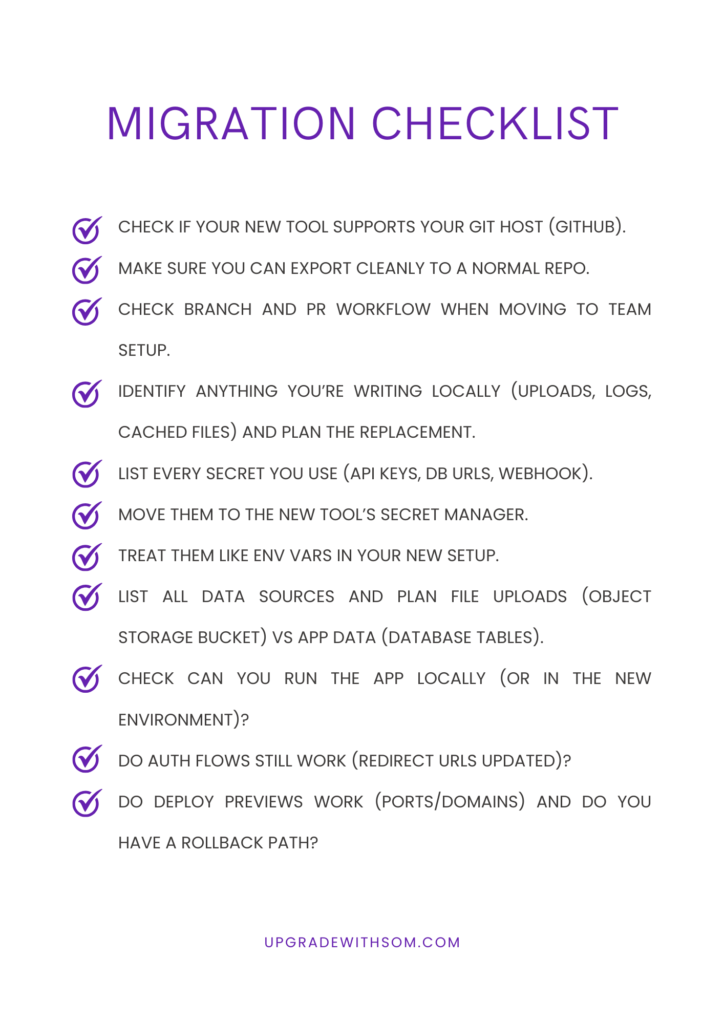
Replit Migration Checklist: What to Do Before You Switch
Before moving away from Replit, you should review your current setup and project requirements. Here’s a checklist to follow.
Final Verdict
You can’t select a cloud IDE and name it as best for everyone. I think Replit is best for instant productivity and beginner-friendly workflows.
But if you’re building serious full-stack apps, collaborating in teams, or pushing CI/CD workflows, tools like Codespaces and containerized IDEs deliver more power, control, and scalability.
For internal tools and portals, Glide, Superblocks, and Bubble are faster because they come with built-in data and permissions. And for quick prototypes, AI app builders like v0 by Vercel, Lovable, and GitHub Spark can get you to a working first version fast, then you clean it up afterwards.
The ecosystem is mature enough, and you can select a good alternative based on your project size, team needs, and long-term goals.
Frequently Asked Questions