
AI SEO is no longer theoretical. It is already shaping how brands appear inside ChatGPT, Perplexity, and other answer engines. Over the past few weeks, I’ve tested AI SEO strategies, visibility-tracking tools, and optimization workflows to understand what actually influences LLM rankings in real-world conditions.
This guide breaks down what AI SEO really means today, how to optimize for AI answer engines, LLM visibility, and which tools are genuinely helpful for tracking and growth.
- The New Search Landscape: LLMs, AI Overviews, and Answer Engines
- Why GEO Matters for Your Revenue?
- How Generative Engines “Read” and Use Your Site
- Best Generative Engine Optimization Tools
- 1. Profound
- 2. Peec AI
- 3. Scrunch AI
- 4. Otterly AI
- 5. AthenaHQ
- 6. Promptmonitor
- 7. Atomic AGI
- 8. Writesonic
- 9. Knowatoa
- 10. Semrush AIO
- Some Other GEO Tools
- Future Outlook: Where AI And SEO Are Heading Next
- Final Thoughts
- Frequently Asked Questions
The New Search Landscape: LLMs, AI Overviews, and Answer Engines
Search is now more like a conversation, and many buyers now begin with an AI answer. They ask a question in tools like ChatGPT, Perplexity, Claude, Gemini, Copilot, or Google’s AI Overviews and get one direct response. That response often compares options, recommends one choice, and gives users enough information that they never need to visit your website.
You still need to rank in traditional SERPs, but you also need to show up inside AI-generated answers across LLMs and answer engines.
Some big shifts are happening here:
LLMs Synthesize First, Cite Later. The model decides what the answer should say, then picks which pages to credit. You can influence that choice, but you do not control it.
Zero Click Becomes Normal. AI Overviews and answer engines often satisfy the query on the spot. So users never scroll to classic SERPs or click through to your site.
So, the core question changes from “What is my ranking?” to “Do AIs mention and cite me when people ask about my topic?”
You may come across a few different terms for the same core practice of AI search visibility. These include AI Visibility, AI SEO or LLM SEO, Artificial Intelligence (AIO), Generative Engine Optimization (SEO) or Answer Engine Optimization (AEO).
No matter what it is called, the goal is the same. To make your content easy for large language models to find, trust, and cite in their answers.
There are also new visibility metrics, and you should track:
LLM Visibility: Share of prompts where your brand appears in AI answers.
AI Citation Frequency: How often specific URLs or domains are cited by AI engines.
AI Referred Traffic and Conversions: Visits and revenue segments that start from AI surfaces.
Why GEO Matters for Your Revenue?
GEO matters because AI answers are already shaping who makes it onto shortlists. If you ignore, you let competitors win those high-intent moments and leave real revenue on the table.
Lead Generation
For many people, the path now looks like this:
Ask ChatGPT “best X for Y” → read the answer → click one or two logos → fill out a form.
If you are not in that first answer, you never even reach the shortlist. Users often rely on AI summaries and zero-click answers instead of scrolling and comparing every vendor themselves.
GEO is how you influence that step. You:
- Map the prompts that matter (“best payroll tool for remote teams”, “alternatives to [competitor]”).
- Check how often AI engines mention you vs rivals.
- Adjust the content, structure, and authority so you start appearing in those answers more often.
It is direct lead gen. You should make sure AIs say your name when buyers ask for options.
Product and Category Visibility
AI assistants already suggest specific tools and brands in:
- Shopping queries, like “best noise cancelling headphones under $300”.
- SaaS queries, like “CRM for small agencies”.
- B2B queries, like “top data warehouses for finance teams”.
These are high-intent, high-value prompts. If AI engines learn to associate your category with a fixed shortlist of brands, that list becomes the real “page one”. GEO work here means:
- Tracking category and comparison prompts that map to your product.
- Checking which brands AI engines call out in those answers.
- Studying which sources they cite, then improving or competing with those sources.
That way, you can increase the chance that “best X for Y” answers include you rather than just your competitors.
Localized and Niche Visibility
LLMs also answer local style prompts and niche ones. For example: “best dentist near me”, “coworking spaces in Lisbon for startups”, “tools like [your niche SaaS] for indie hackers.”
Here, GEO links with your local SEO and vertical strategy:
- Your NAP data, reviews, and local pages still matter, but now as signals for AI engines and Overviews.
- For niches, you want strong, clear explainers, comparison pages, and third-party coverage that AIs can cite when users ask those detailed questions.
The payoff is qualified traffic. Because users who ask AI for a specific local or niche solution often arrive on your site already primed to buy.
How Generative Engines “Read” and Use Your Site
To be visible on LLMs, your pages need to be crawlable and indexable. If Google or an AI crawler cannot reach or render the page, it will not feed AI answers either.
Once they see your content, models care less about keyword density and more about meaning. They look at entities (brands, products, people), how they relate, and whether the content is consistent with other trusted sources.
So, you need precise wording, stable naming, and good context, not just stuffing exact-match phrases.
There are two different “moments” where your content can influence AI answers:
- Training Time
Your content may be part of the giant dataset used to train a model. That shapes its general knowledge. But it is slow to update and hard to control directly. - Retrieval Time
Many systems now use retrieval augmented generation. The model calls out to live search or a custom index before it answers. Your page can be fetched in real time, then quoted or paraphrased in the response. So, the tools keep answers fresh without retraining the whole model.
GEO mainly works at this second layer. You are trying to be the page that gets pulled into the context window when the model answers a query.
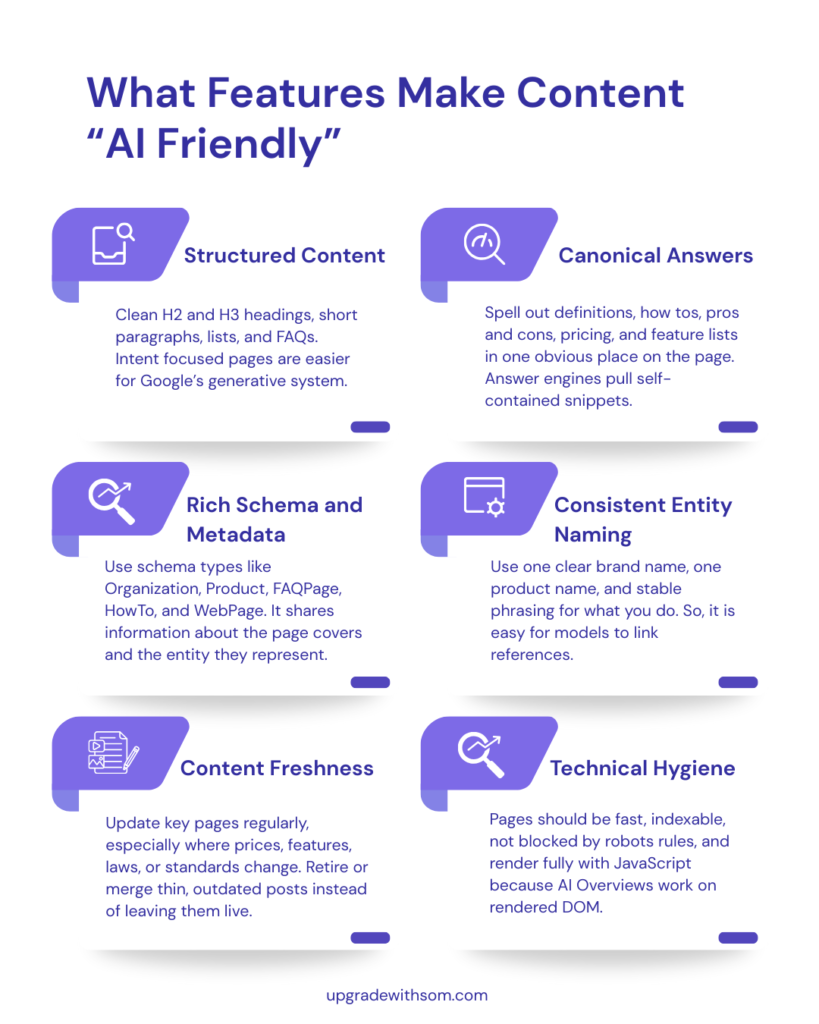
Features that Make Content “AI Friendly”
Make your pages easy for models to read and quote. Use clean headings, short sections, lists, and FAQs, plus fast, crawlable pages that aren’t blocked or broken.
Use stable naming for your brand and products, and give clear “canonical” answers (definitions, how-tos, pricing, pros/cons) in one place.
Back it all with a solid schema (Organization, Product, FAQPage, HowTo, WebPage) so AI systems know exactly who you are.
Google’s AI Features and Site Owners
Google’s AI Overviews and AI Mode create a summary at the top of the page, then attach a small set of source links. Those links usually come from pages that already rank well and meet quality standards, not from a separate “AI index.”
From Google’s own guidance and third-party studies, a few points are clear:
- Helpful, people-first content and EEAT style signals still drive which sites get used as sources.
- Structured data, clear headings, and strong topical coverage improve your odds of being picked.
- Higher organic positions raise the chance of inclusion in AI Overviews, though they do not guarantee it.
So, you are not doing a separate “AI SEO.” You are tightening the same quality signals, then adding formats that make your answers easy to quote.
Best Generative Engine Optimization Tools
GEO or AI visibility tools show you what AI systems are doing with your content in practice.
They do not replace good content and technical work. But they tell you if generative engines are actually using your content when they answer real questions.
Here are some of the best tools to consider:
1. Profound
Profound is an AI visibility platform for brands that care about how often they show up inside AI answers. It tracks mentions, sentiment, and citations across assistants like ChatGPT, Perplexity, Copilot, and Google AI Overviews. It then adds search-volume-style insights into what people actually ask these tools.
In practice it feels like an AI search control room. When I tested it, Profound did a good job surfacing where our brand appeared, which topics drove those mentions, and which domains fed the citations.
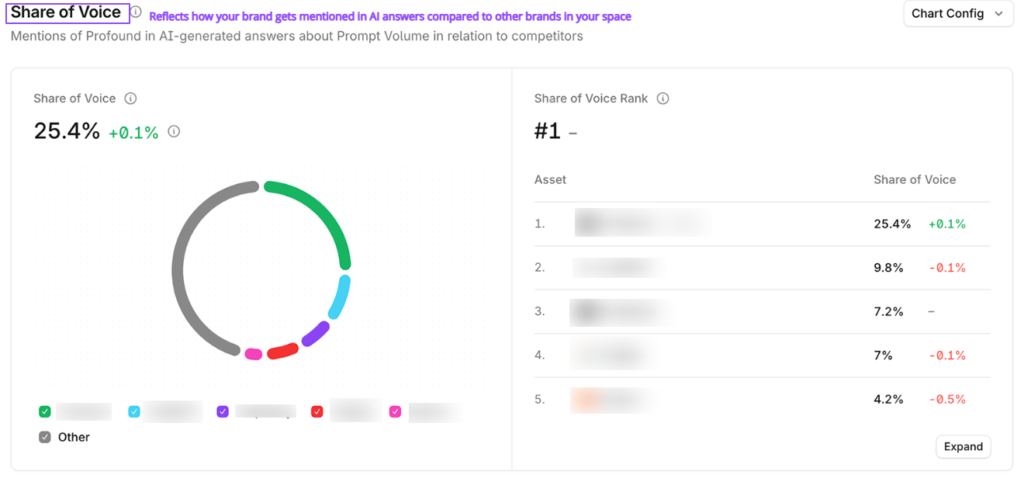
It also gives an overall sentiment score plus the terms that drive positive and negative tone.
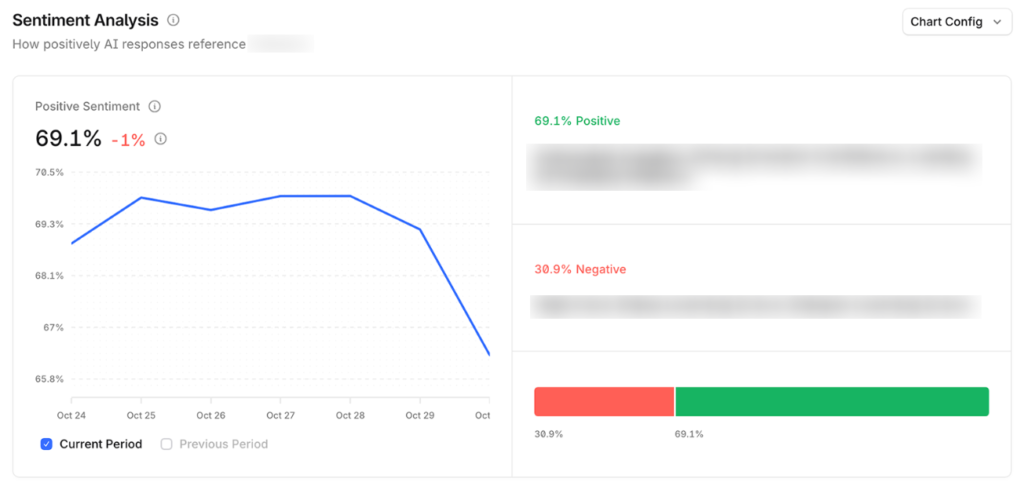
You can quickly see what AI tools tend to say about you and what is pulling things up or down.

It also handles Source Data well. For each prompt, Answer Engine Insights shows the full AI response, highlights your brand, lists all competitors mentioned, and citations used.
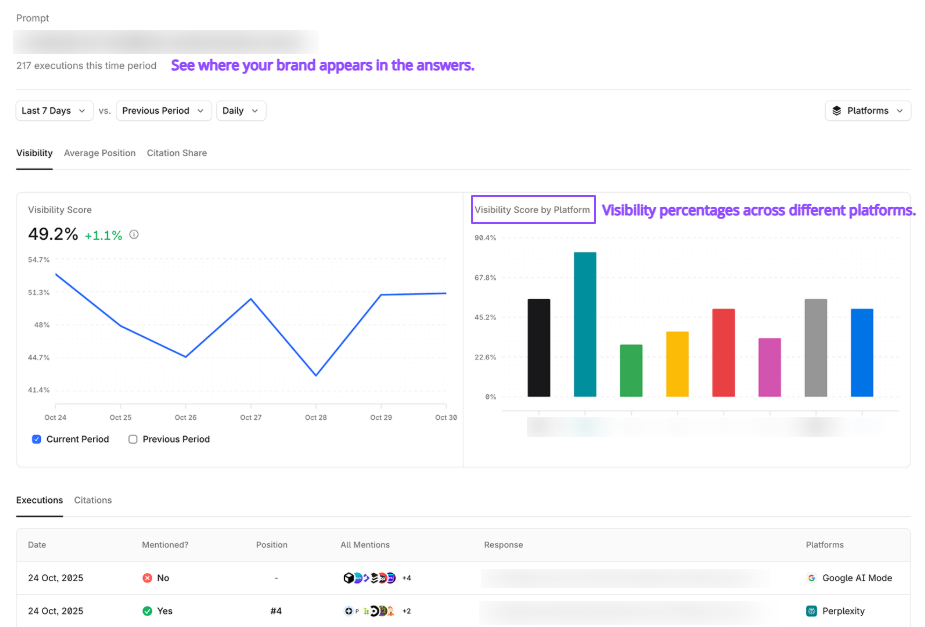
It’s easy to see which pages and domains feed AI answers for your space.
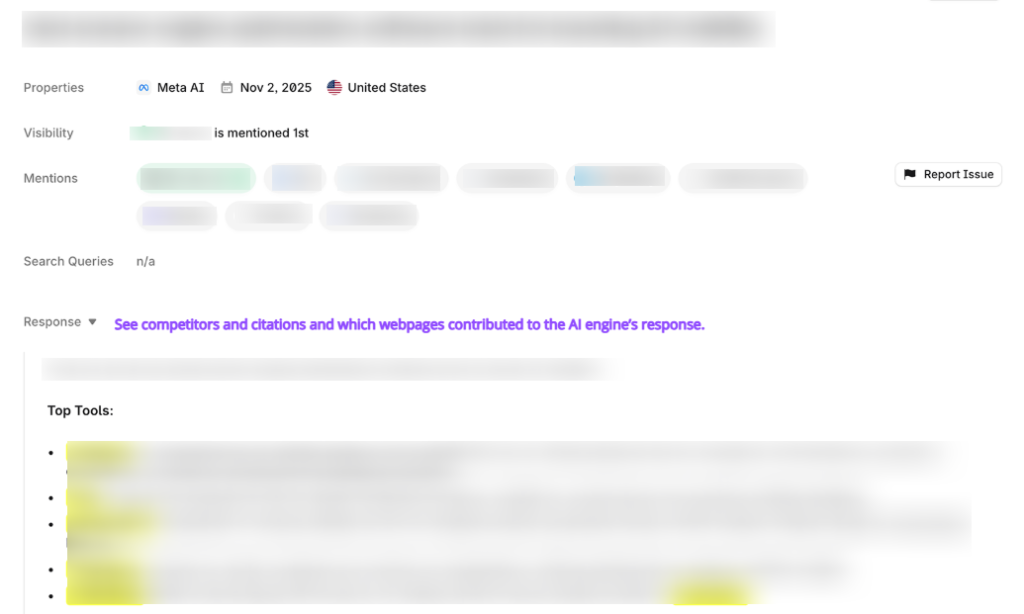
In reporting, the Opportunities section suggests concrete ways to improve visibility. There are steps, reasoning, and supporting links you can send to your team.
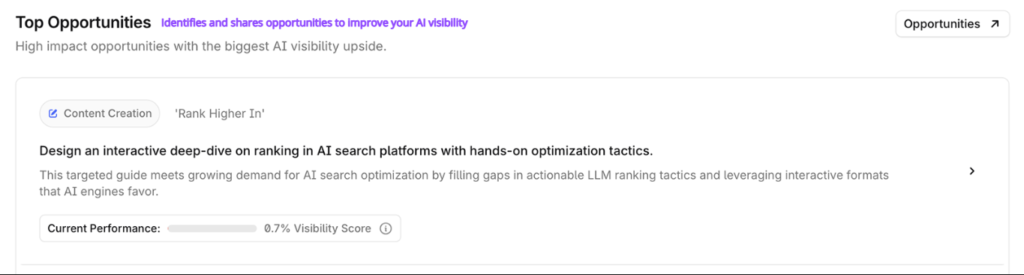
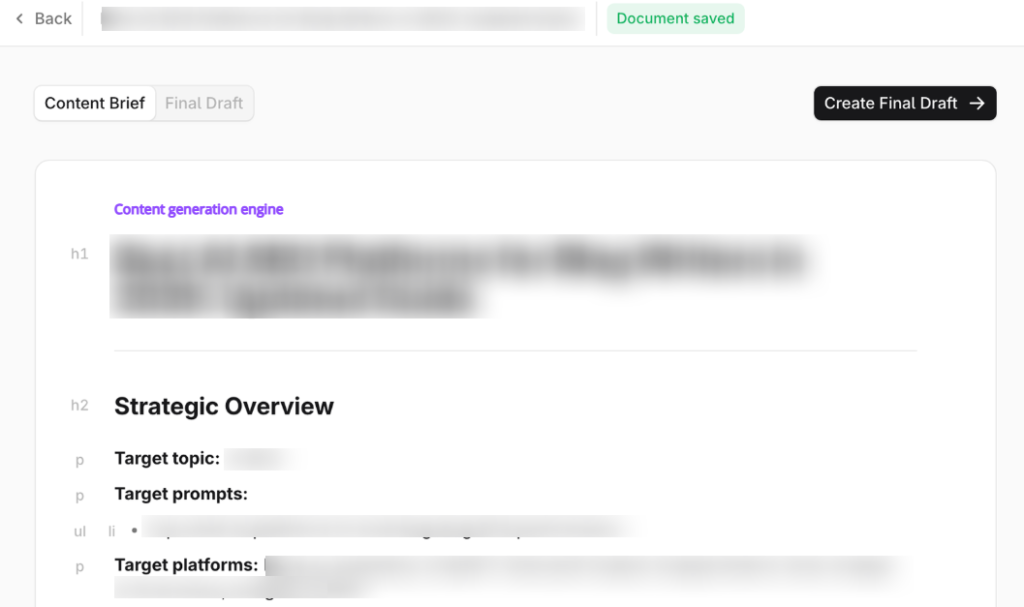
Also, there is a built-in content engine that can turn an opportunity into a researched content brief or draft. It is based on the domains and pages AI engines already trust.
Profound Features
Answer Engine Insights: Brand and topic visibility across major assistants.
Prompt Volumes: Estimates how often people ask key topics in AI tools.
Conversation Explorer: Query-level views of the questions where you appear.
Agent Analytics: Bot crawl and traffic views tied to AI agents.
Shopping Insights: How products show up in ChatGPT Shopping tiles.
Security and Stack: GA4 and CDN hookups plus SOC 2 and SSO for enterprise teams.
Profound Pricing
Profound still sells through sales-led custom pricing on its site. The Starter tier is at about $99 per month, Growth is around $399 per month, and custom pricing for higher prompt limits. However, it sits above many AI visibility tools in price and above the market average.
- Multi-engine coverage and prompt volume data in one place.
- Clear sentiment views for brands that care about tone.
- Conversation and topic reports that help content and comms teams plan.
- Agent and traffic analytics that show AI-driven visits for big sites.
- Enterprise features like SOC 2, SSO, and support channels.
- Pricing starts high compared with mid-market rivals.
- Setup is fast, but hard to tune for power users.
- Attribution relies on CDN integrations, leaving gaps for smaller sites.
- Action tools are light, so you still need other SEO tools.
My Honest Take: Profound is a strong option if you are an enterprise or large retailer that treats AI visibility as a core channel. And if you already have people who can act on the data. If you are a SaaS startup, a lean agency, or you want a tool that hands you a whole playbook, the cost and focus on monitoring will likely feel heavy.
2. Peec AI
Peec AI is another AI visibility tracker that tracks brand appearance in AI answers engines.
If your team already does SEO, Peec does not replace those tools. It plugs a gap of visibility inside AI answers. You can see where your brand shows up, which prompts trigger mentions, and which competitors are getting more attention than you.
Peec runs a set of prompts you define across major AI platforms on a daily schedule. It then logs how often your brand is mentioned, where it appears in the answer, and which URLs are cited.
You can get metrics like:
- Visibility percent for each prompt
- Position in the answer (for example, 2nd brand listed for “best CRM for small business”)
- Basic sentiment for each mention
- Source lists that show which domains the models rely on
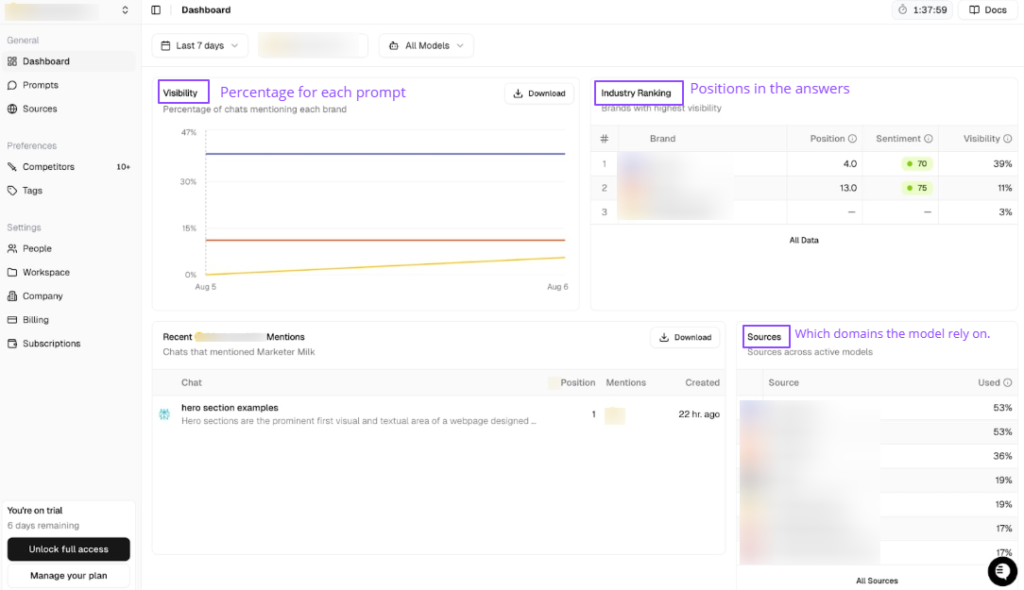
In short, it turns AI answers into a structured dataset you can scan instead of copying and pasting from chat windows.
I set up Peec for a B2B site by adding a small batch of prompts on our category, competitors, and key pain points.
The setup took a few minutes. I connected the site, accepted the suggested prompts, then tweaked or uploaded a few of our own.
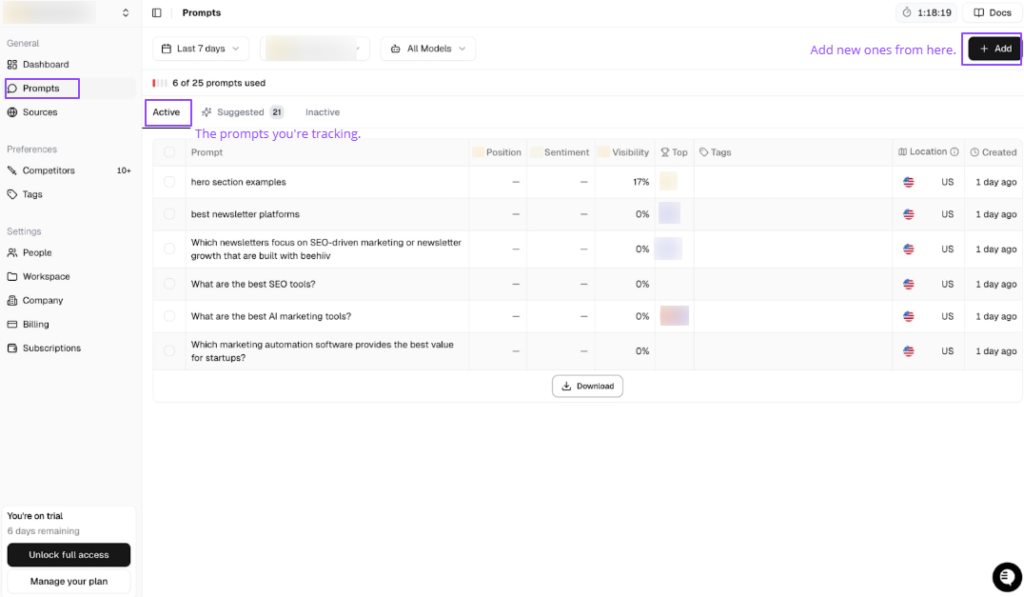
There is a Suggested tab that generates prompt ideas from the topics and keywords on my site. With one click, I can create a batch of prompts, then accept or reject them before tracking.
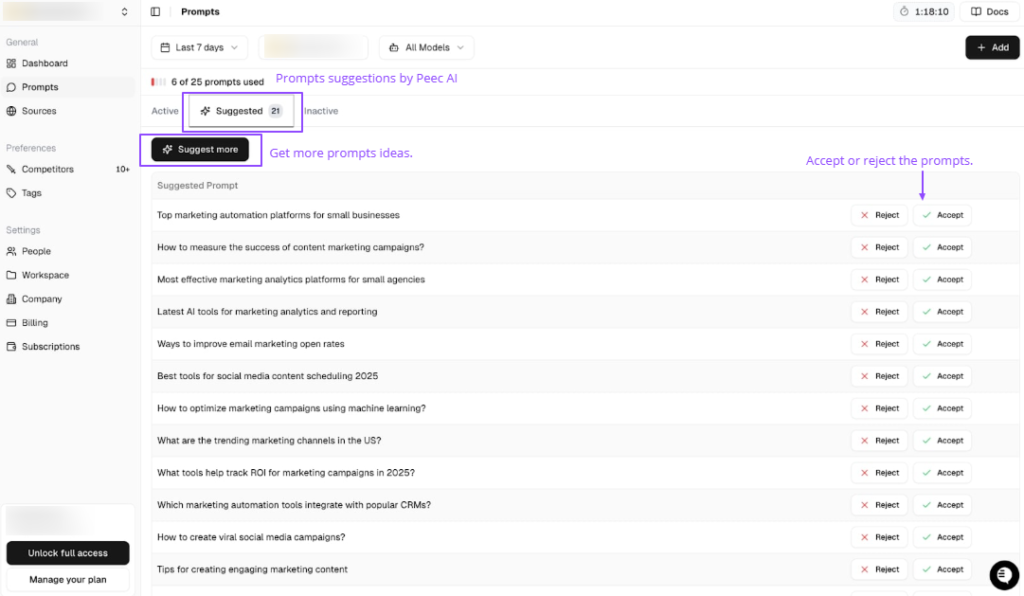
Daily, Peec started to flag where we showed up in ChatGPT, Perplexity, and Google AI Overviews, and where a rival brand pushed us out.
I can also change the time window. By default, Peec shows 7 days, but I can switch to 14 days, 30 days, or set a custom range. The only catch is that Peec can only show data from the moment I started tracking. If I joined 2 days ago, I only see 2 days. If I have been using it for 3 months, I can slice any window inside those 3 months.
The Sources Tab is very handy for outreach and competitive research. I can quickly spot pages that mention my competitors but not me, and decide where it makes sense to reach out.
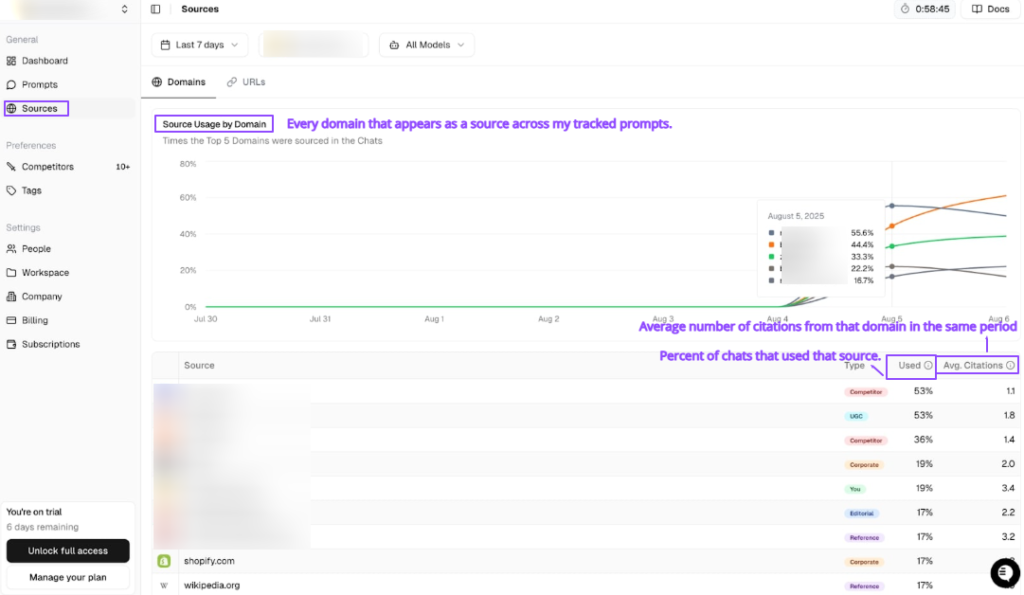
The graph in this tab is less helpful, since it shows one line and I need to hover to unpack it, but the table more than makes up for that.
Peec AI Features
AI Visibility Tracking: You can see how often your brand appears in answers across ChatGPT, Perplexity, and AI Overviews on the Starter and Pro plans. There are additional engines, such as Gemini, Claude, AI Mode, DeepSeek, and others, available at higher tiers.
Prompt Level Insights: Track visibility per prompt, not just per domain. You can tell which user questions you dominate, where you lag, and which prompts never mention you at all.
Competitive Benchmarking: Compare your visibility, position, and basic sentiment to direct and indirect competitors, and trends over the last 30 days.
Sources and Citations: See which domains and URLs AI models cite for each prompt. Plus, labels for source types like corporate sites or user-generated content. Helpful when you want to reverse engineer why a rival stands out.
Mentions Feed and Chats: A running list of recent AI conversations that include your brand. You can open the complete answer, see where you appear in the text, and check the links behind that answer.
Multi-Country Support and Daily Runs: Prompts run daily across engines. There is multi-country coverage and unlimited seats, and it suits teams that need shared access.
Peec AI Pricing
Peec is mid-range on pricing. The Starter tier is €89 per month and offers up to 25 prompts, daily runs across ChatGPT, Perplexity, and AI Overviews. The Pro is €199 per month, and Enterprise starts at €499 per month with optional add-ons for more engines.
- Clear view of AI visibility, where you appear in AI answers, prompts, and competitor data.
- Simple, fast setup, suggested prompts, and short onboarding.
- Agency-friendly, easy to spin up client workspaces, track a small set of prompts, and use data in pitches or audits.
- Works well with existing SEO tools. Peec tracks AI answers, and your usual stack can handle crawl, links, and on-page work.
- Data without clear next steps. You can see where you stand, but you need your own plan or extra tools to act on it.
- No traffic or ROI view from AI answers. The mentions are tracked but you cannot link them to visits or revenue.
- Extras can raise the total cost. More engines and higher prompt limits sit on pricier tiers or add-ons.
My Honest Take: Peec AI is great if you want a focused monitor for AI search visibility and you already have people and tools to act on the data. If you want a combined monitor plus heavy recommendation engine and content production, don’t rely on it alone and pair it with something more action-oriented.
3. Scrunch AI
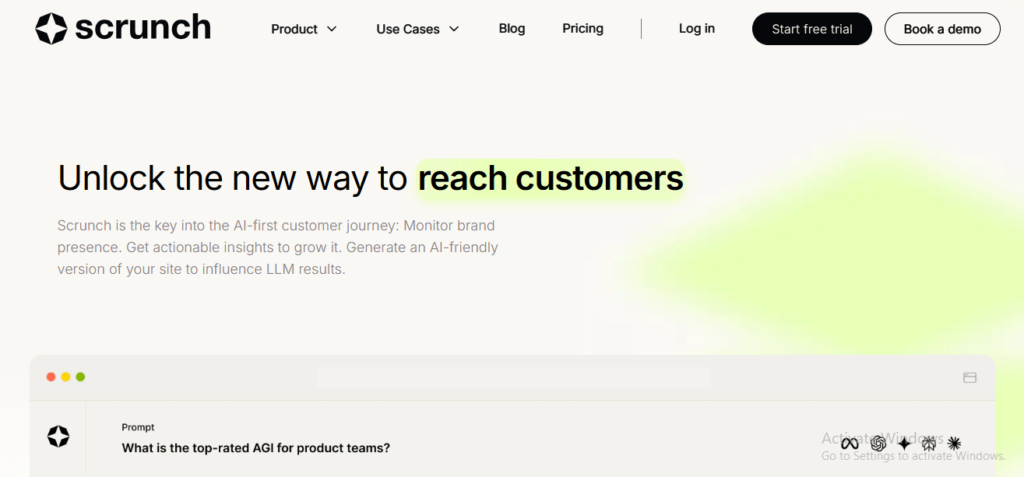
Scrunch AI is a monitoring GEO tool that tracks when and how your brand shows up inside AI answers. It shows fundamental insights across ChatGPT, Claude, Perplexity, Gemini, Google AI Overviews, Google AI Mode, and Meta AI.
The pitch is simple: see mentions, compare against competitors, spot gaps, and export data. The big swing is AXP, an AI-facing site layer that makes your content easier for models to read. It’s recently launched, and there’s no evidence of its effectiveness yet.
On the prompts side, Scrunch suggests prompts based on its view of your brand. Most of them looked relevant. But there’s no indication of how much demand each one has, as there is no prompt volume. You can add your own prompts, too.
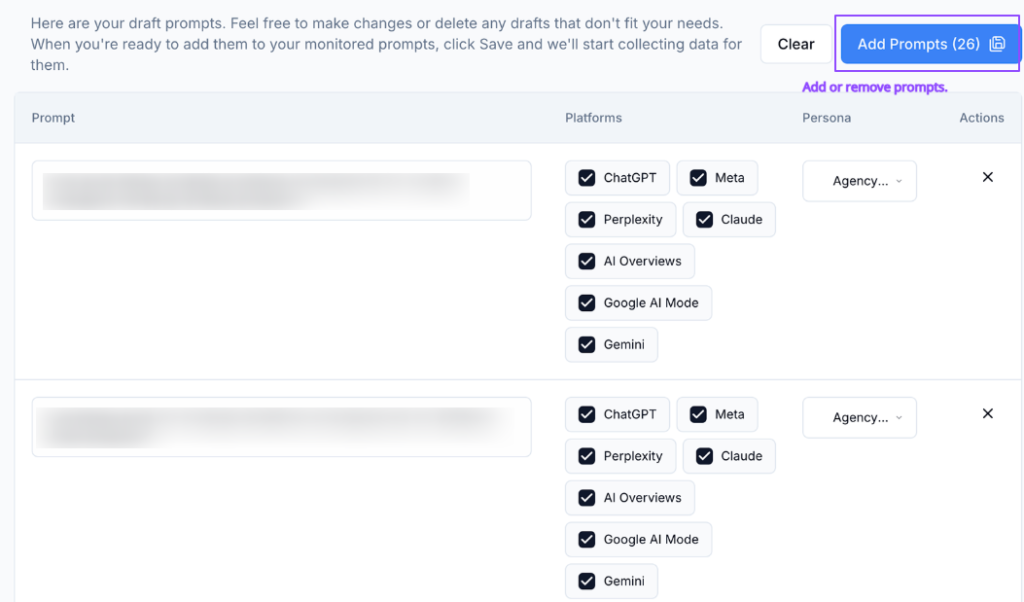
Once prompts are live, Scrunch tracks my presence and citations against competitors.
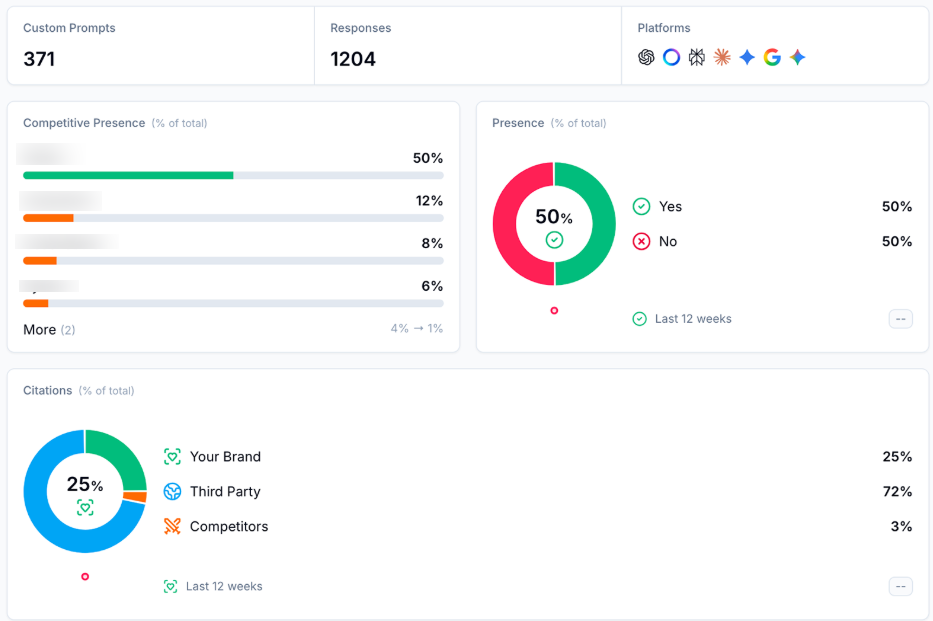
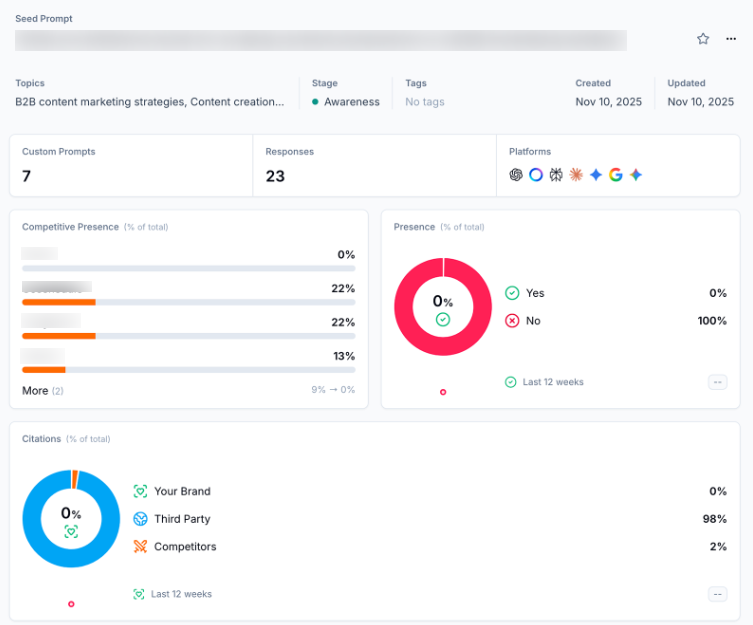
I also opened specific prompts to see the complete AI response.
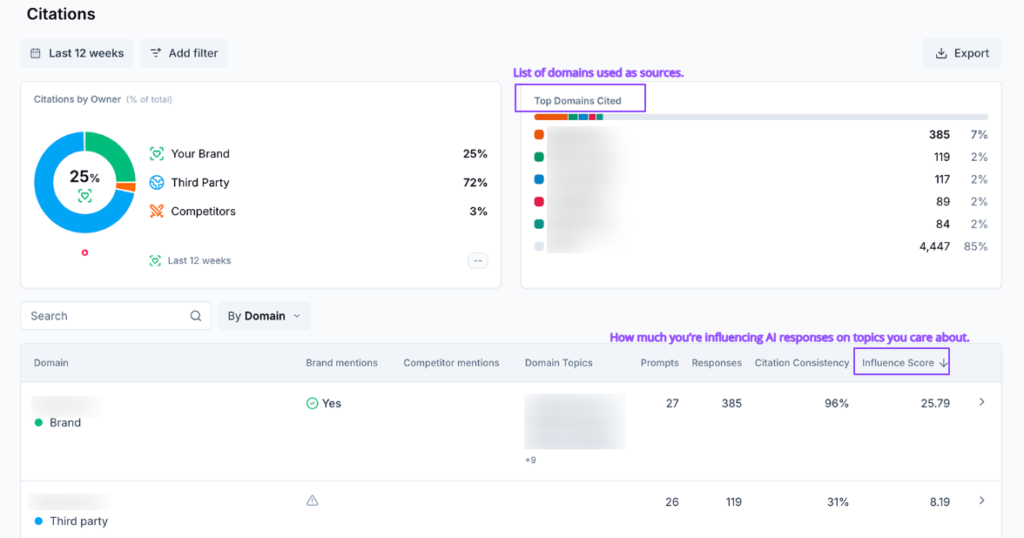
Citations are also good. Scrunch maintains a list of domains and URLs used as sources and displays metrics such as citation consistency and influence score.
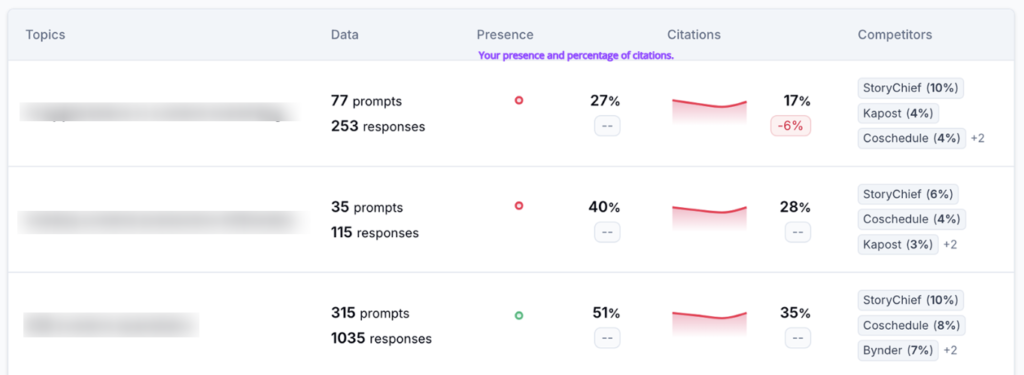
It’s great for content planning, and it gives you a sense of where you appear.
Scrunch AI Features
AI Monitoring Dashboard: See where your brand appears, how often, and next to which competitors.
Prompt Analytics: Track performance by prompt, with actual AI responses saved for review.
Competitor Insights: Share of voice style comparisons with simple filters for topic, model, region, or persona.
Citations and Sources: Domains and exact URLs used by the engines, handy for outreach and content planning.
AI Traffic Analytics: GA4 integration to surface bot agents, touched pages, and trends.
Scrunch runs prompts across the supported engines. Then the report mentions, position, sentiment, and citations. One catch: it often starts with keywords that it converts into prompts rather than using real prompt data.
It means trend views and prompt analytics can feel off at times. You do get exports, basic insights into gaps, and bot traffic readouts via a GA4 integration. If you want clear steps to fix issues, you will still need your own playbook or a second tool.
Scrunch Pricing
Scrunch sits in the mid- to high-priced band: the Starter tier is $250 per month, Growth is $417 per month, and Enterprise has custom pricing.
The plans look generous on paper. For example, 1,000 industry prompts plus 350 custom prompts in the starter, but there is a catch. Each engine you track for a prompt consumes credits, so 100 prompts across five engines equals 500 prompt credits. If you plan wide coverage, budget for a higher tier.
- Solid monitor for mentions, position, sentiment, and citations across several engines.
- Share of voice snapshots that help you see where rivals win.
- Data exports for deeper team analysis.
- Agency-friendly setup with multi-brand support.
- Clean dashboards with quick filters, easy to slice by topic, persona, or region.
- Useful source lists, domain, and URL views make it simple to see which pages drive citations.
- Bot tracking via GA4, a practical way to see if AI agents visit your site.
- Prompt limits can vanish fast since each engine draw counts.
- Update cadence and prompt volume data are unclear in parts of the app.
My Honest Take: Scrunch AI is strong at monitoring. You get wide engine coverage, clean views, and valid citation data. It is also a good fit for agencies and larger B2B teams that want personas, gap spotting, and some AI traffic context in one place.
If you are an early stage, or you want a prescriptive tool that gives context, the price and focus on monitoring will likely feel heavy.
4. Otterly AI
It is a monitoring and auditing platform you can use to see where you appear in AI-generated answers and which domains are cited. How you stack up against rivals, and what is blocking more citations.
Otterly pulls data directly from AI search interfaces via API-based scraping and refreshes results on a schedule. It is good enough for content planning and quarterly strategy. But not ideal if you need same-day PR monitoring.
Otterly AI Features
Multi-Engine Monitoring across six platforms in one dashboard. It covers ChatGPT, Perplexity, Google AI Overviews, AI Mode, Gemini, and Copilot.
Brand Coverage and Brand Visibility Index tracks how often you are mentioned, how you rank in answer lists, and how visible you are compared to named competitors. It is a signature KPI for Otterly.
Citation and Domain Tracking shows which URLs AI engines cite most, how often third-party domains beat your site, and which pages drive visibility.
Competitive Benchmarking, side-by-side views of mention share, average position, and domain coverage for your brand and competitors.
GEO Audit with 25+ Factors, a deep diagnostic that scores your site on AI readiness. It also lists issues across content, structure, technical setup, and authority. One of the best audits at this price.
Exports and Reports, CSV exports, scheduled reports, and weekly email summaries for easier stakeholder updates.
Setup is quick. You can connect your site and pick prompts and competitors.

Within a short time, you can see brand coverage, domain rankings, and audit scores.
AI Prompt Research can turn broad keywords and topics into concrete prompts people are likely to ask AI. It makes tracking feel more grounded in real behavior.
Brand Report also pulls everything together. Mentions and average position to domain coverage, so I could see how my brand stacked up against competitors at a glance.
Search Prompts made it easy to monitor specific queries like “best X for Y,” store the answers, and check how rankings shifted over time.
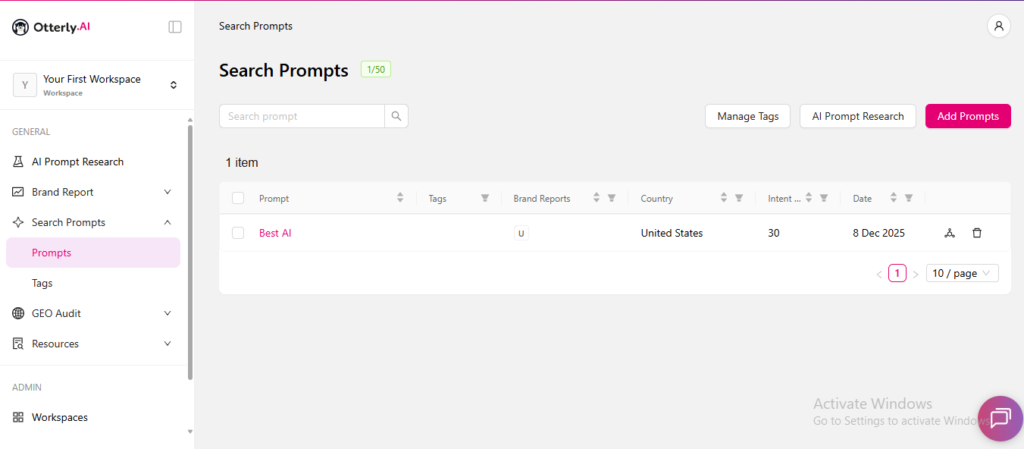
The GEO Audit was the standout, scoring my site on different factors. It also showed where technical and content gaps might be blocking AI citations.
Otterly AI Pricing
The pricing is tiered by prompt volume. Lite starts at $29 per month for roughly 10 to 15 prompts. Standard sits around $189 per month, and higher tiers offer more prompts. It’s a good value because of the depth of the audit.
- Strong six-engine coverage in one view.
- Brand Visibility Index and brand reports that make it easy to explain AI presence to non-technical stakeholders.
- Best-in-class GEO audit in this price band. 25+ on-page factors and clear scoring.
- Team members are even on lower tiers. It suits in-house teams and small agencies.
- No traffic attribution. You cannot see visits or conversions from AI answers inside the tool.
- No end-to-end lead tracking from “ChatGPT mention” to signups or revenue.
- A weekly refresh means data can lag up to 7 days.
- The interface is chart-heavy, and I felt like a data dump until you learn which reports matter for your use case.
My Honest Take: Otterly AI is a strong pick if you care most about precise monitoring and a deep GEO audit. It is perfect for visibility tracking, weaker on traffic, sentiment in practice, and hands-on execution. If you need a full-stack platform, consider pairing with further tools.
5. AthenaHQ
AthenaHQ is a generative engine optimization platform that tracks prompts, mentions, citations, sentiment, and then layers on an “Action Center.” It suggests concrete tweaks to content and structure to improve AI visibility, not just look at charts.
The tool comes from a team with Google Search and DeepMind experience, backed by YC. So, it sits in the serious enterprise bucket.
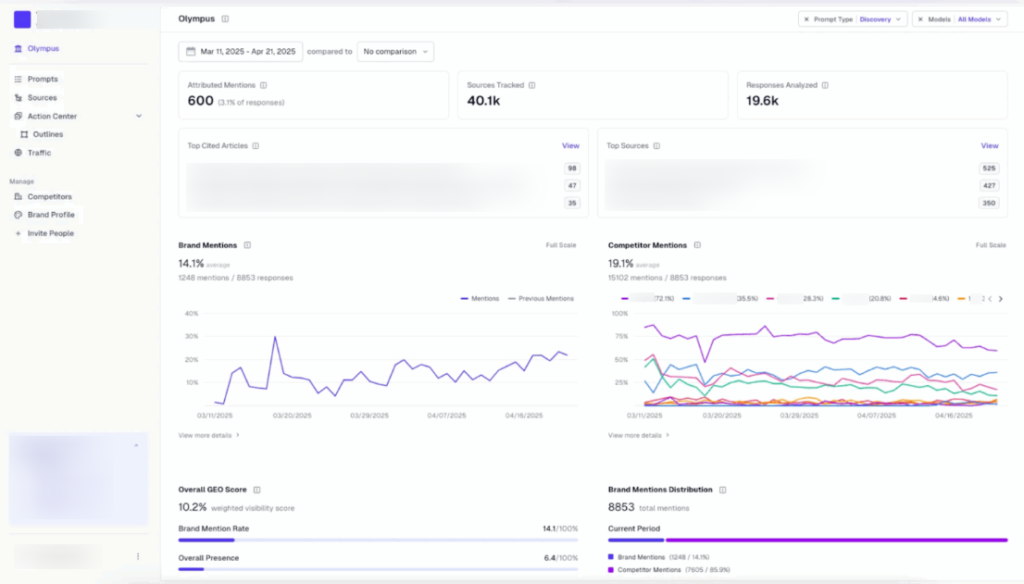
When using it, the setup was smooth. I added my domain, a few competitors, and some core topics. The Olympus dashboard then showed:
- Share of voice and a single GEO score across AI engines
- Brand mentions vs citations
- Basic sentiment trends
- Top prompts and sources sending traffic
Prompt analytics shows the natural language queries that trigger answers. For new prompts, AthenaHQ gives monthly query data, but I could not easily revisit that volume later. It made it harder to sort prompts by real importance.
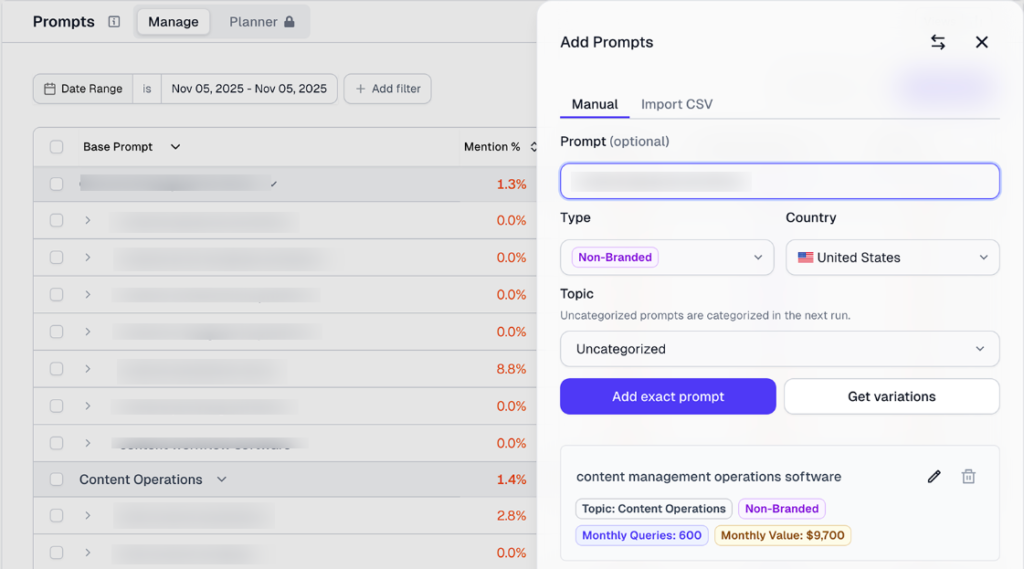
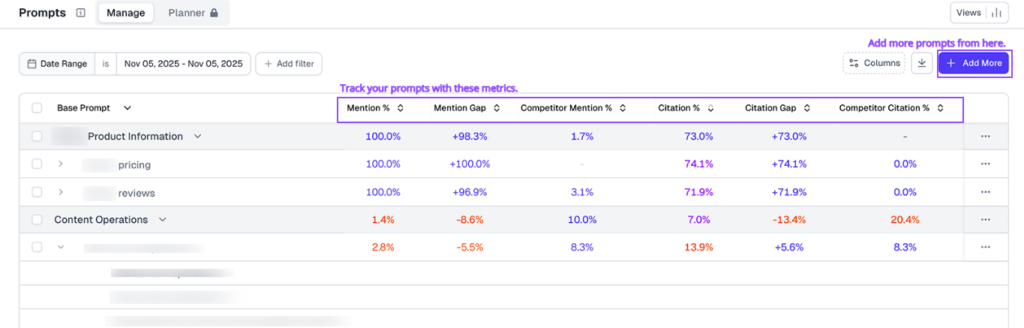
Once prompts were live, I saw the mention rate, citation rate, where competitors were ahead, and the full AI responses and cited sources for each query.
Source intelligence was handy. I could see which domains and URLs AI tools rely on.
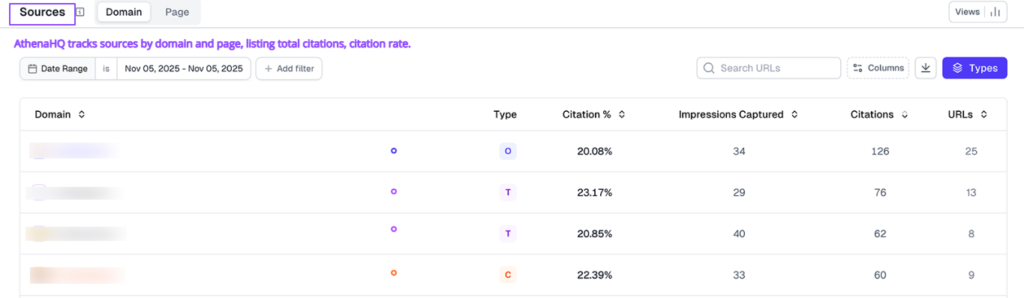
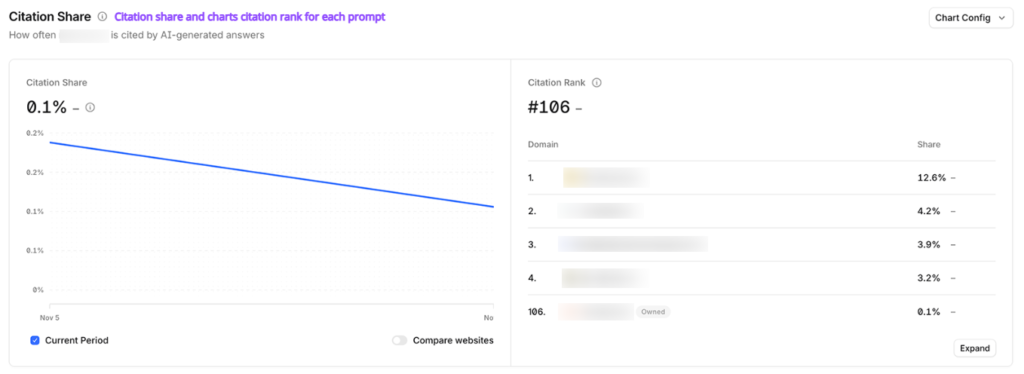
How often my site was cited, and which third-party pages dominated specific topics. It is useful when planning outreach or PR.
The Action Center is where AthenaHQ tries to move from tracking to action. It flagged content gaps, suggested new articles, and listed off page ideas like subreddits or sites to target. In my tests, these ideas were hit-or-miss. The link outreach generator produced generic emails I would not send. The draft articles needed heavy editing and fact-checking before they were usable.
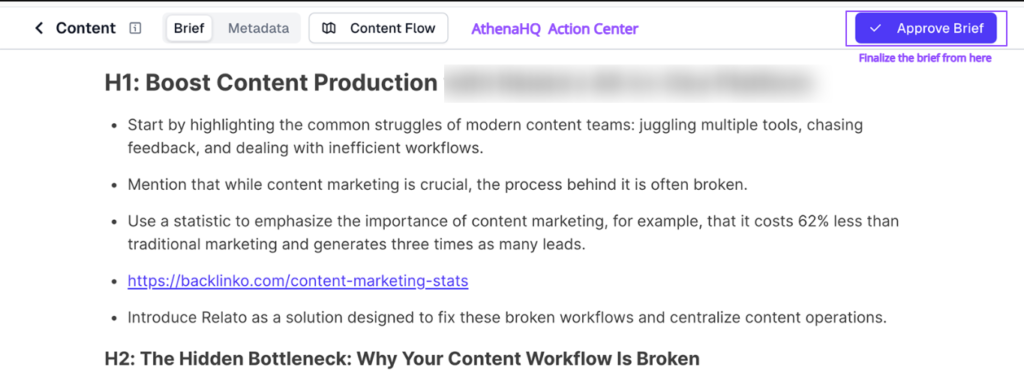
GA4 integration for AI bot analytics is a nice touch. I could see which pages AI agents touched and get a rough sense of AI-sourced traffic.
AthenaHQ Features
Deep GEO Analytics and Dashboards: You can get enterprise-style dashboards that show AI visibility scores, prompt-level reporting, trends over time, and breakdowns by engine, topic, and region.
Answer Snapshots and Citation Insights: Get real AI answer snapshots with cited sources. You can inspect exactly which pages (yours vs third-party) drive mentions and where AI models pull their facts from.
Focused Workflows and Integrations: AthenaHQ is built for larger teams. The multi-user access, advanced reporting, and GEO workflows can plug into existing SEO/analytics processes.
Multi-Engine Tracking: AthenaHQ monitors how your brand shows up across major AI platforms. You can check where you’re visible, where you’re missing, or where you’re misrepresented.
AthenaHQ Pricing
AthenaHQ uses credit-based pricing. Self-serve around $270-295 per month, and 3600 credits. Enterprise plan with custom pricing and credits.
One credit equals one AI response. So, if you check a prompt across five models, it’ll burn five credits. If you track many prompts across many engines, credits vanish fast, and the real monthly cost climbs. There is a one-month free credit bonus on annual plans, but no long-running free plan for small teams.
- Wide AI engine coverage and multi-country support on higher tiers.
- A single dashboard that merges mentions, citations, sentiment, and sources.
- Clear GEO score and share of voice views that are easy to show to stakeholders.
- Action Center that points you toward on-page and off-page ideas.
- GA4 integration and source tracking that link GEO work to real traffic and pages.
- Pricing is high for what you get on self-serve, for smaller brands.
- Sentiment and competitive analytics feel too shallow to guide strategy on their own.
- Action Center, outreach, and content tools are not strong enough to rely on without a human to fix and edit the output.
My Honest Take: AthenaHQ is a user-friendly GEO platform. It shines at monitoring how often and how well you’re mentioned across AI engines. But it’s costly and leans more toward citation/visibility analytics than deep revenue attribution or broader AI content/SEO execution. So, smaller teams or those wanting an all-in-one growth platform may find better value elsewhere.
6. Promptmonitor
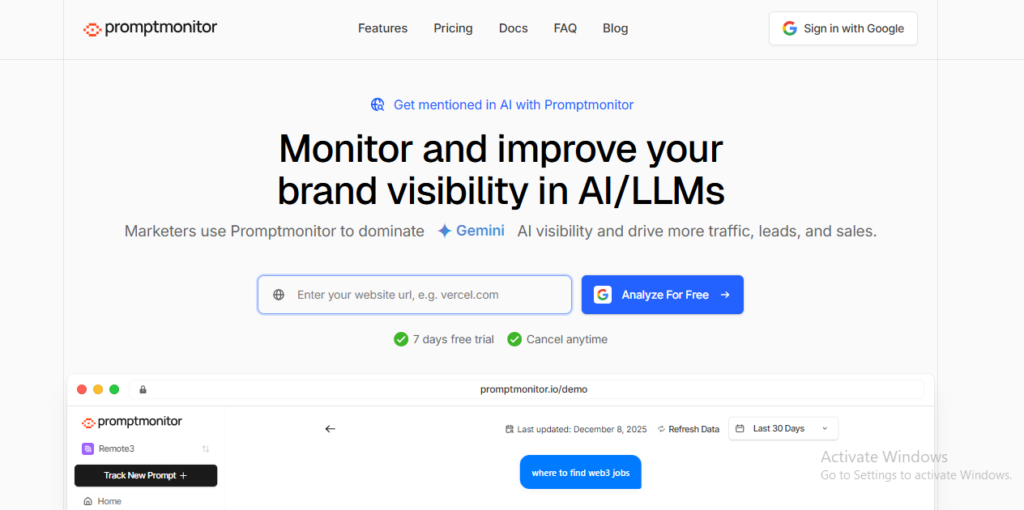
Promptmonitor is built for brands where AI influences buying. It tracks how LLMs mention your brand, how they talk about you, and if you show up more or less than your competitors across.
You can add your site, pick the prompts that matter, and it logs how often you appear, your position in lists, and how sentiment looks across models and regions.
It rolls into an AI Visibility Score from 0-100. High score, you show up a lot across engines. Low score, you barely appear.
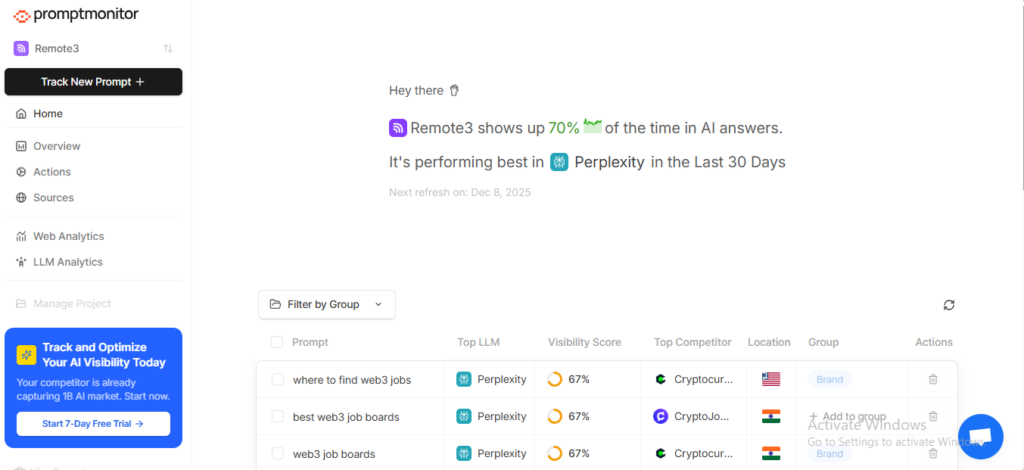
When you plug in your brand or site and pick key prompts like “best X for Y,” Promptmonitor starts logging answers.
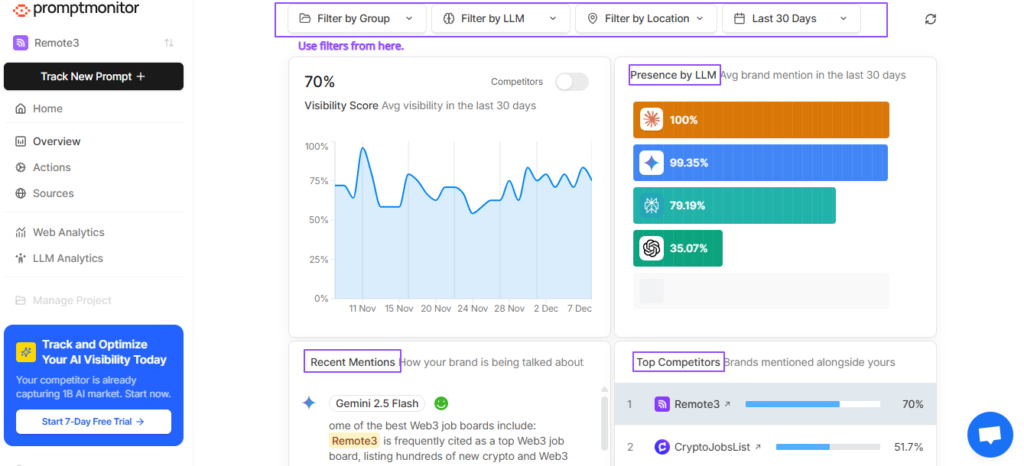
It tracks your rank in AI lists, your presence by country and city, and how your mention rate compares with named competitors.
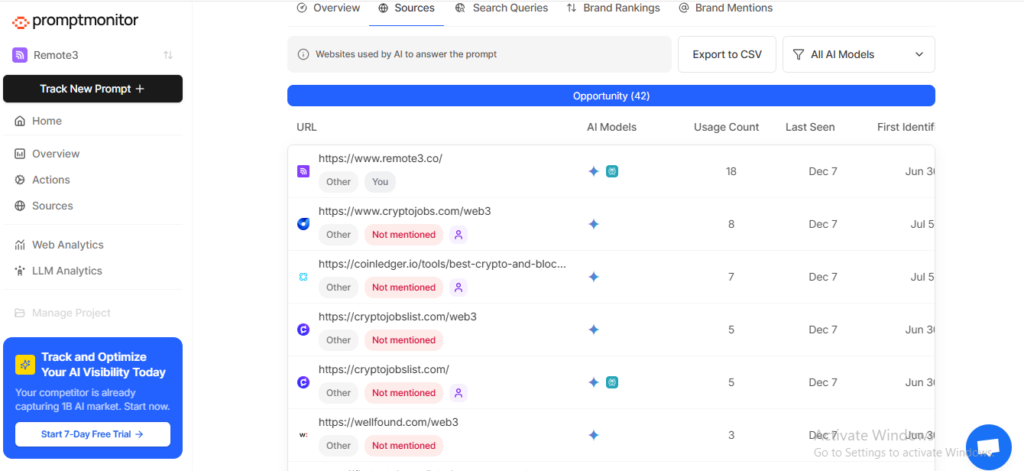
It also captures the exact wording of answers, the sentiment around your brand, and the internal query variants that AIs use when fetching information. It gives you a more honest view of how people actually search.
Promptmonitor Features
AI Visibility Score and Multi-Platform Tracking: Combines mention rate and cross-model coverage into a single KPI across ChatGPT, Claude, Gemini, Grok, DeepSeek, and Perplexity.
Prompt and Rank Monitoring: Follows specific prompts, list positions, and geo performance down to country and city level.
Query, Sentiment, and Context Insights: Stores full AI answers, flags positive or negative tone, and reveals which topics drive your mentions.
Opportunities and Outreach: Aggregates all cited URLs, then surfaces sources that do not mention you yet. There are SEO metrics and contact details so you know who to email or where to create better content.
llms.txt Builder and Content Tips: Helps you publish a crawler guide for AIs and suggests concrete steps, such as adding FAQs, schema, and addressing missing topics.
AI Crawler Analytics: Optional script to see when bots from ChatGPT, Claude, and Perplexity hit your site. Plus AI traffic and conversion tracking without cookies.
Promptmonitor Pricing
Promptmonitor positions itself as an accessible GEO tool. The starter plan is $29 per month for 1 project. Growth is $39 per month for 2 projects. Pro is $129 per month for five projects. There is also an agency tier with unlimited projects on a revenue share model.
You still get team accounts, email reports, and exports on standard plans. It’s good for SMBs and agencies, not just huge brands.
- Good value for money, broad engine coverage at entry-level prices.
- Clear visibility score that is simple to explain to non-technical stakeholders.
- Turns citations into a prioritized outreach list with SEO signals and contacts.
- AI crawler tracking and privacy-first analytics in the same place. It is useful for tying mentions to visits and conversions.
- Data quality depends on the prompts and regions you choose, so lazy setup gives weak insights.
- Prompt and response caps on lower tiers can be tight if you want to track many markets or segments.
My Honest Take: Promptmonitor is great for SMBs, in-house marketers, and agencies that need AI visibility tracking without an enterprise budget. You can get real multi-engine coverage, source intelligence that points to clear next steps, and affordable pricing. If you need SEO workflows, you can pair them with other tools.
7. Atomic AGI
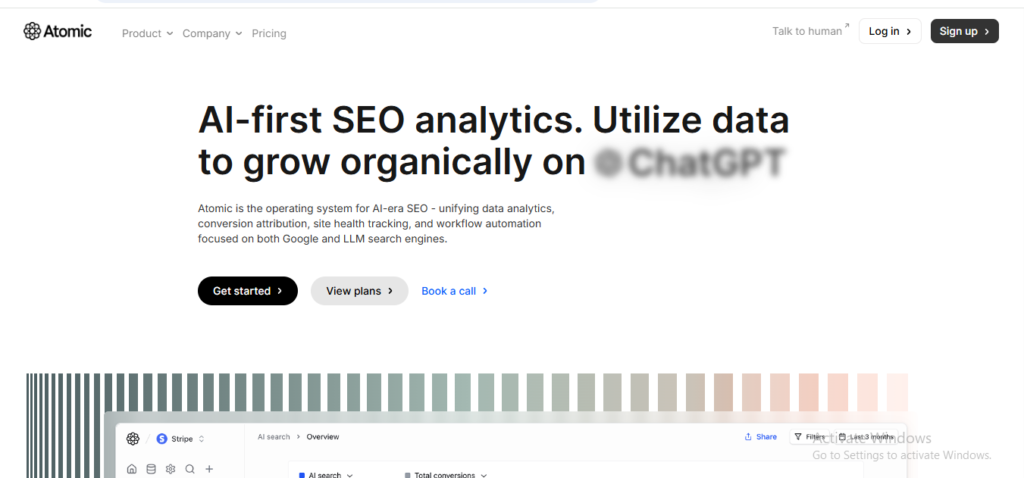
Atomic AGI is an AI SEO analytics platform that pulls classic SEO metrics and AI search visibility into a single place. It tracks keyword and landing page performance in Google, then adds data from ChatGPT, Perplexity, Gemini, and other generative engines. You can see how content performs across both domains.
If you want one tool for rank tracking, site health, content scores, and early AI visibility signals, Atomic AGI fit. If you want deep GEO features like prompt level tracking, sentiment, and citation maps, it is still behind specialist tools.
To use, I connected Google Search Console, GA4, and my site.
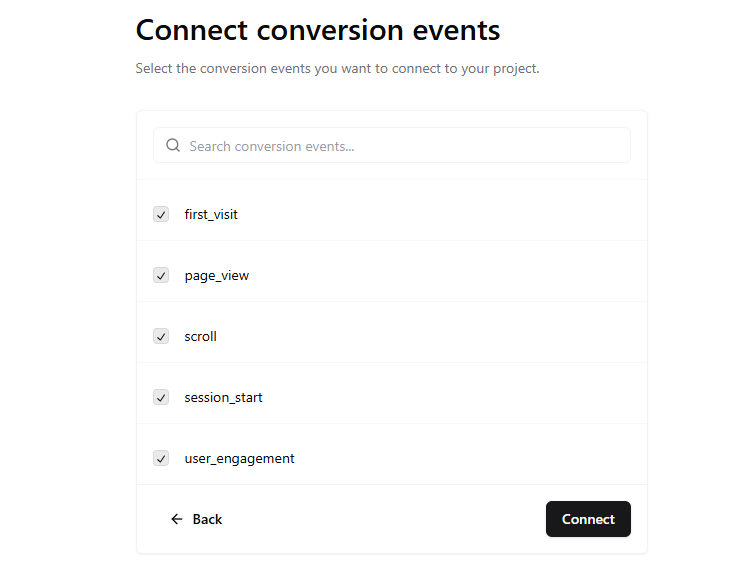
Atomic then pulled keyword rankings, page traffic, conversions, and technical health, and layers on data from AI engines to show where generative answers mention or send traffic to the pages.
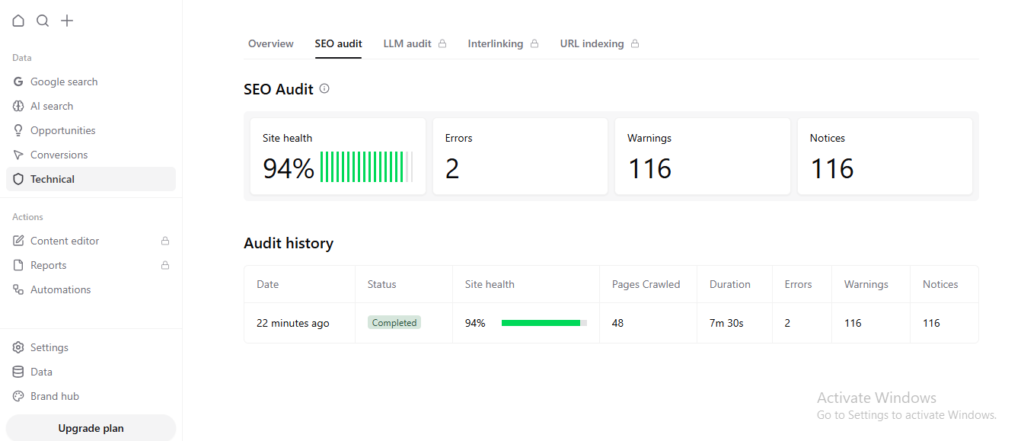
Recent updates added clear views for AI search. The performance across ChatGPT, Perplexity, and Gemini, plus which sites those models cite for your target queries.
You can see which landing pages pick up visits from generative answers and how much of your organic traffic now comes from AI-style results.
Atomic AGI Features
AI Search Traffic Tracking: Tracks visibility, clicks, and traffic trends from LLM search engines. Segment traffic by engine to see which AI sources actually send visitors.
Conversion Attribution for LLM Visitors: Connects visits from AI engines to signups, form fills, and other conversion events. You can see which LLM channels lead to outcomes on-site.
LLM Keyword and Prompt Tracking: Tracks “AI prompts” on a schedule (weekly on Starter, daily on higher tiers) and reports keyword-level visibility and traffic by engine.
SEO Analytics and Site Audits: Includes standard SEO analytics, site audits, and pagecrawl credits. Plus, content analysis and rapid indexing features that sit closer to classic SEO than GEO.
Automation and Reporting: Team and Scale plans add custom reports, automations, and team management. You can share dashboards across SEO and growth teams.
Atomic AGI Pricing
Atomic runs on a freemium model. The Free plan is $0 per month. Starter is $10 per month, Team is $80 per month, and Scale is $ $200 per month.
The pricing puts Atomic at the low end of the GEO/AI visibility market, if you just want to try LLM tracking without a big budget.
- Low entry cost with a real free tier and a $10 Starter plan.
- Direct view of LLM traffic and conversions inside the same dashboard as your classic SEO data.
- Useful if you want to give an SEO or analytics team early AI traffic insight without adding a second heavy platform.
- There is no deep prompt explorer, answer-level snapshots, sentiment view or clear share of voice.
- A lot of the SEO side feels similar to what you already get from Google Search Console and standard SEO suites. It weakens the story’s value if you only care about AI visibility.
My Honest Take: Atomic AGI is a sensible pick if you are an SEO or analytics team looking to see LLM traffic and conversions alongside classic search data. If your goal is serious AI visibility, prompt-level tracking, and Atomic feels like a half-step. It is cheap and handy for monitoring, but not a core channel.
8. Writesonic
Writesonic offers an AI search visibility layer inside the wider Writesonic platform. It tracks your brand, turns that into scores and trends, then links those insights to content actions you can run inside the same tool.
Writesonic leans on a large internal dataset of AI conversations and prompts. I tested structured questions across engines to see when the site appears, when competitors win, and which sources the models trust.
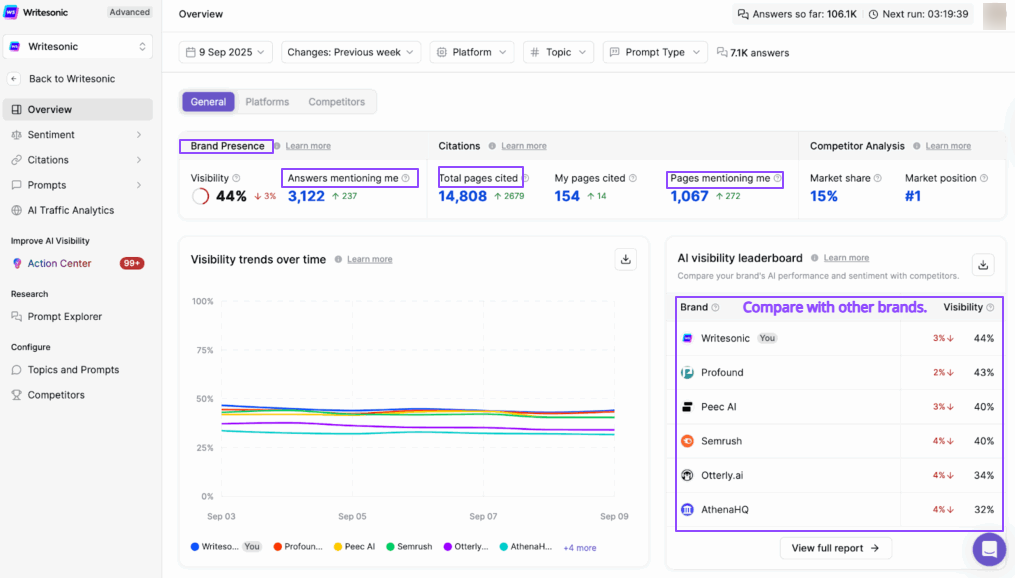
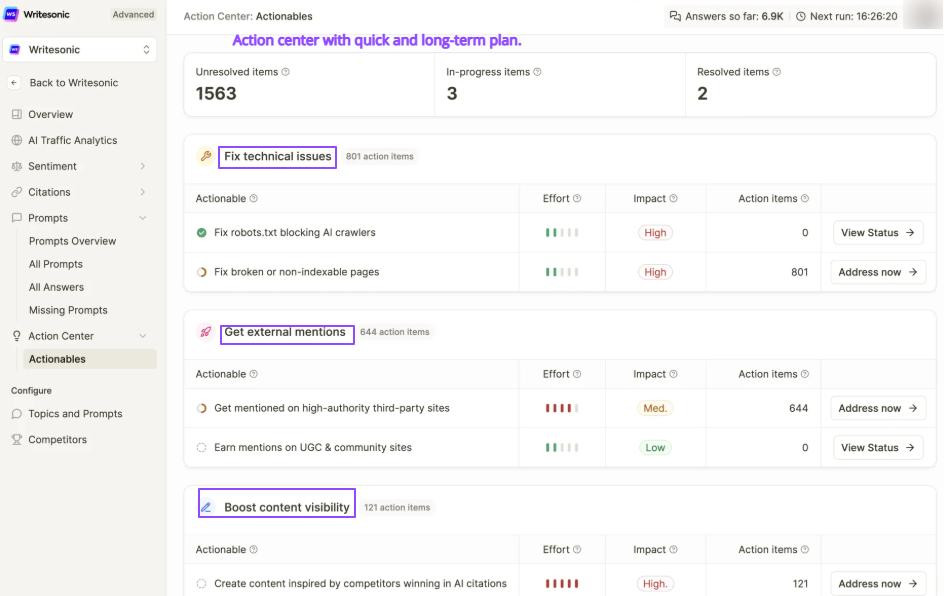
The tool groups issues into a queue of actions, for example “refresh this article”, “create a comparison page for prompt X”, or “outreach to pages that cite competitors only”. The idea is that you move from “we see the gap” to “here is the next task”.
Writesonic GEO Features
Multi-Engine AI Tracking: Track mentions, sentiment, and basic share of voice across ChatGPT, Gemini, Claude, Perplexity, Google AI Overviews, and other answer engines, all in one dashboard.
Prompt and Topic Tracking: Monitor the prompts that matter for your category, see which brands are named, how often you appear, and where you drop out of answers over time.
Citation and Source Analysis: For each tracked query, GEO stores the complete answer and the URLs that the models cite. You can see which pages support your mentions, which third-party sites AI leans on, and where rivals get links you do not.
AI crawler and traffic analytics: GEO can log visits from AI bots and link that to human traffic with GA4. So you can see which pages AI crawlers hit, which prompts they relate to, and how much traffic those answers send.
SEO and Content Engine Tie In: Because GEO sits inside Writesonic, you can fix issues in the same stack. Run SEO audits, generate new content with the AI Article Writer, and update pages with internal linking and schema markup, guided by GEO prompts and citations.
Writesonic Pricing
Writesonic sells GEO as part of its central platform. Lite is 49 dollars per month. Standard is $99 per month, and Professional is about 249 dollars per month. Advanced and Enterprise scale-up for larger teams and agencies with custom terms.
It sits in the mid-price band compared with other AI visibility tools, cheaper than some enterprise-only platforms. And more expensive than pure monitoring tools that lack content and SEO features.
- One stack for GEO, SEO, and content. Useful if you want less tool sprawl.
- Solid coverage across many AI engines.
- Practical Action Center that turns gaps into a to do list instead of passive charts
- AI crawler view plus GA4 makes AI traffic less of a mystery
- Strong fit for teams that already use Writesonic for content and now need AI visibility data
- The interface is busy if you only care about GEO and not the rest of the features.
- Credit-based pricing and prompt limits can be hard to track at first.
- Some of the most helpful GEO features live on higher plans, so small teams may feel squeezed.
My Honest Take: From a GEO point of view, Writesonic is one of the few tools that actually connects the whole loop. It tracks AI visibility, explains what’s happening, and then helps you change content within the same platform. If you want a focused, low-cost monitor, this is more than you need. Overall, a practical option that earns its place in the stack.
9. Knowatoa
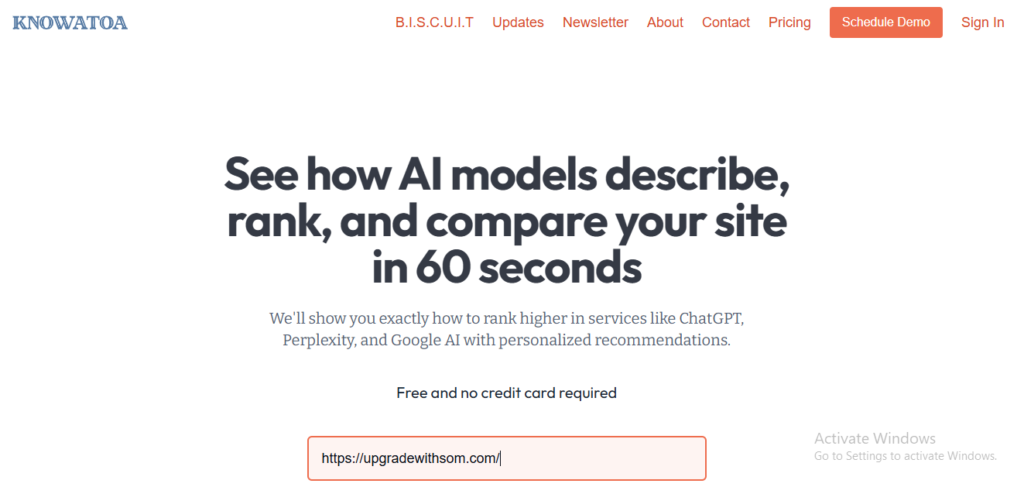
Knowatoa is an AI search visibility tool that shows what ChatGPT, Gemini, Perplexity, and other assistants actually say about your brand.
When I tried, it felt like an AI search console. You can add your site and competitors.
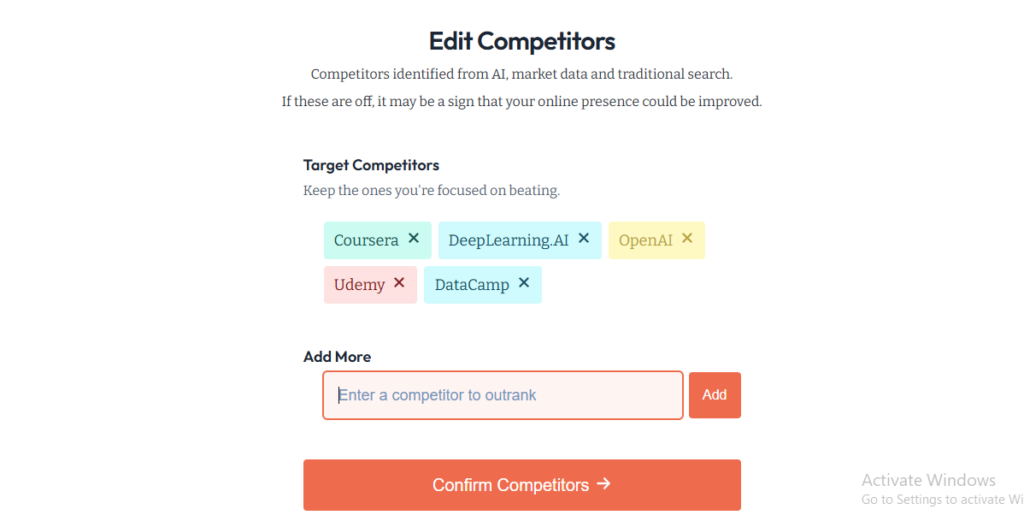
Then, set up the questions you care about, and Knowatoa runs them across supported engines.
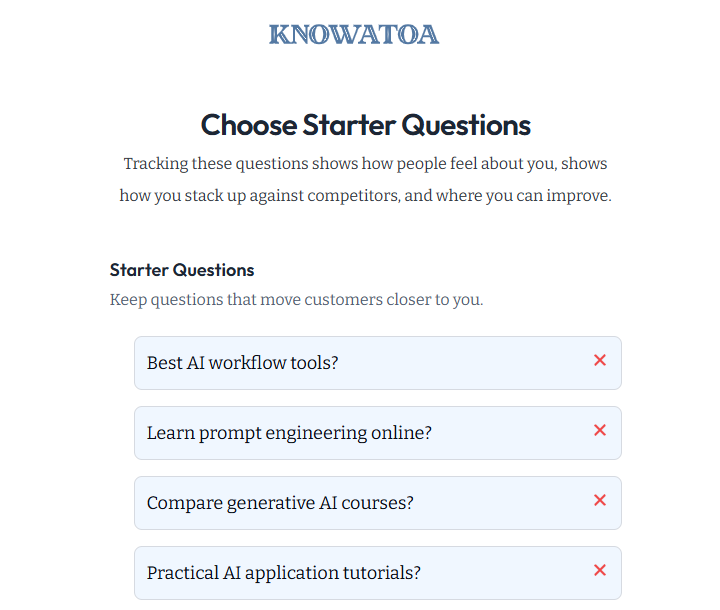
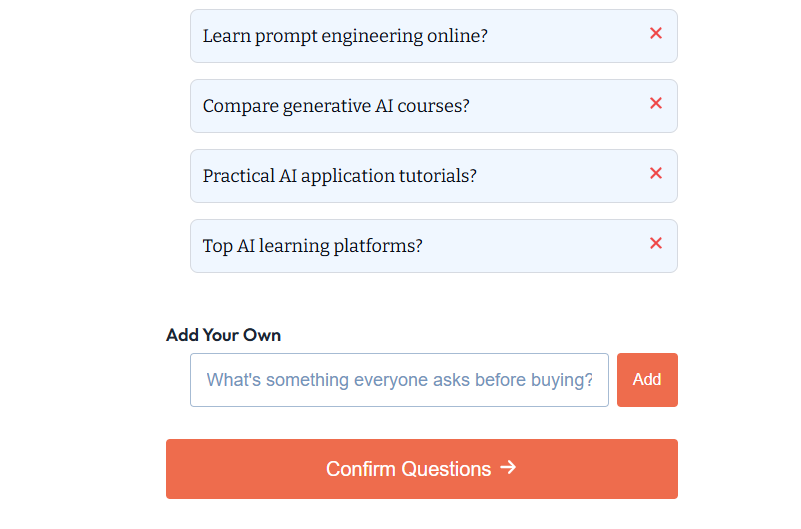
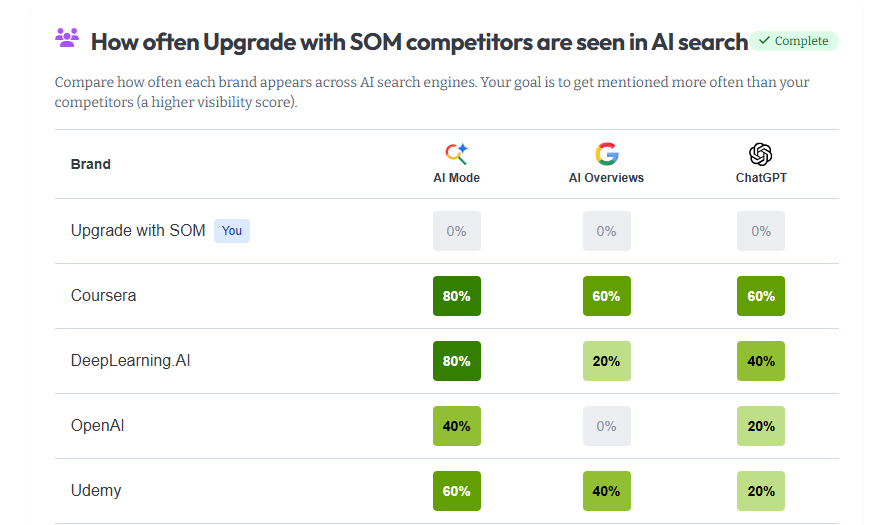
For each question, you get the full response, your position in any list, sentiment, and a time-series of visibility. Cross model views make it clear where ChatGPT likes you, where Perplexity prefers a rival, and where you simply never appear.
On top of that, I really liked competitor benchmarking and source intelligence. Knowatoa flags when competitors are recommended instead of you. It shows which domains are cited as evidence and highlights common mistakes, such as blocked crawling or weak product descriptions.
The intent research tools add context by tying questions to estimated AI search volume and classifying them by intent. So, you are not guessing which topics matter.
Knowatoa Features
Cross-Model Tracking: Run the same questions across ChatGPT, Gemini, Claude, Perplexity, AI Overviews, AI Mode, and Meta, then compare the visibility side by side.
Brand and Competitor Benchmarking: Track how often you are mentioned, how you are described, and how that compares with key competitors.
Sentiment and Fact Checks: Monitor if AI answers describe you in a positive, neutral, or negative way. Use fact verification features to catch mistakes in product or company details.
Citation and Source Analysis: See which domains and URLs AI models trust most, where your own pages appear, and where third parties dominate the citations for your topics.
Visibility Score Trends: Follow visibility scores and answer trends over time so you can spot drops, wins, and the impact of content changes.
Intent Research and AI Search Console: Estimate AI search volume, classify questions by intent, and check if AI engines can reach your sites.
API and Exports: Higher tiers include API access plus CSV exports. Agencies and larger teams can pull data into their own reports and BI tools.
Knowatoa Pricing
Starter is priced at $59 per month, and Growth is priced at $199 per month. Enterprise plans start around $499 for higher limits, custom refresh rates, and deeper integrations. All tiers support unlimited sites that share a question pool and a daily refresh by default. There is a good entry on lower limits, but serious multi-market tracking is on the higher tiers.
- Clear view of how AI engines describe your brand instead of only keyword rankings.
- Multi-engine coverage with consistent questions. It makes comparisons meaningful.
- Competitive insight that shows when and why rivals are recommended instead of you.
- Citation and source analysis that feeds outreach and content planning.
- Unlimited seats on all plans. Handy for agencies and cross-functional teams.
- Question caps on lower tiers.
- Full engine coverage and API access are only available on higher-priced plans.
My Honest Take: Knowatoa is a good fit if you want a structured way to track that across several engines. Agencies and SEO teams will like the multi-engine view, competitor data, and exports, especially once you are on Pro or above. If your budget is tight or you need heavy question volumes across many brands, the caps on lower plans and upsell to full coverage may feel limiting.
10. Semrush AIO
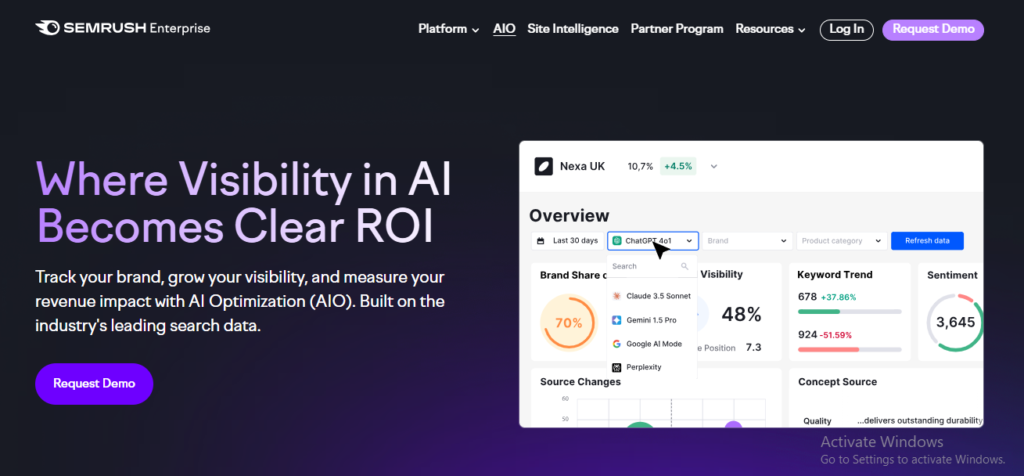
Semrush AIO is basically Semrush’s take on AI visibility. It is a layer on top of their SEO suite that shows how often your brand appears in AI answers, how you are described, and which prompts drive those mentions.
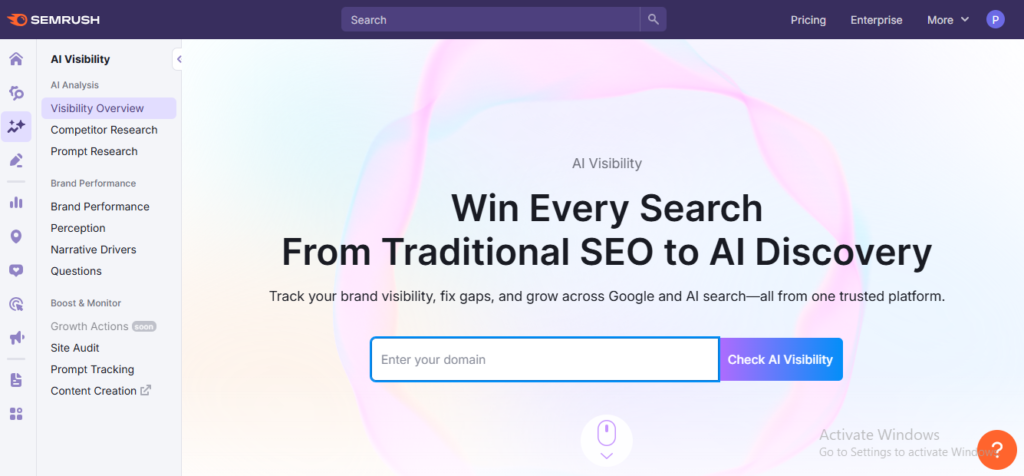
In testing, the toolkit was a decent add-on if you already live inside Semrush. You can get visibility across ChatGPT, Google AI Overviews, and Google AI Mode. The coverage is narrower than the GEO first tools that track 8 to 10 engines.
Where it works best is tying AI data back to classic SEO. Prompt research looks a lot like Semrush keyword tools. It is just pointed at AI prompts instead of search queries.
Brand Performance gives a clear view of share of voice, sentiment, and key “brand strengths” across the tracked engines.
Semrush AIO Features
Multi-Engine AI Visibility: Tracks brand presence across ChatGPT, Google AI Overviews, and Google AI Mode. You can see where you appear, which competitors are listed alongside you, and basic share-of-voice trends.
Prompt and Keyword Research: Treats prompts like keywords, showing AI “volume”, intent, topic difficulty, and which brands get mentioned. Suitable for SEO pros who already think in terms of topic lists and content plans.
Brand Performance and Sentiment: Dashboards for sentiment, perception, and key business drivers. You can compare your brand to named competitors and see which themes you lead on inside AI answers.
Competitive Views: Share of voice charts, prompts where rivals show up and you do not, and basic citation views. However, competitor picking and smaller SaaS brands can be hit-or-miss.
AI Traffic and Reporting: Keyword-level daily tracking, AI visibility score style metrics, and traffic attribution views that tie into the broader Semrush reporting stack.
Semrush Pricing
The AI Visibility Toolkit is sold as a $ 99-per-month add-on. If you want everything in one plan, Semrush One bundles SEO and AI features starting around $199 per month. The entry pricing is friendly, but scaling across several domains, users, and prompt sets adds up quickly.
- Easy fit if you already use Semrush for SEO and want AI data in the same place.
- Familiar interface and workflows for keyword-minded teams.
- Solid brand sentiment and perception dashboards, especially for bigger brands.
- Daily keyword level data and decent international coverage across core English-speaking markets.
- Limited engine coverage compared with GEO natives.
- UX quirks and bugs around competitor selection and prompt relevance, especially in SaaS and B2B niches.
My Honest Take: Semrush AIO is a decent starter option if you are already a Semrush user, want light AI visibility tracking, and have a tight budget. If AI visibility is a side project, it can work. If it is a core channel, I would lean on a more focused GEO platform for the heavy lifting.
Evaluating AI Visibility Tools: Choose What Actually Matters
AI visibility tools promise a lot, but not all of them measure what truly impacts real answers inside LLMs. Before comparing features or pricing, it helps to understand what signals actually matter for tracking and improving visibility.
1. Coverage and Data Sources
If a tool only checks one or two engines, your view will be biased. You need clear answers to:
- Which AI engines are tracked, for example, ChatGPT, Perplexity, Claude, Gemini, Copilot, Google AI Overviews.
- Which modes are covered: classic chat, AI Overviews, AI mode, shopping blocks, etc.
- How they collect answers, front-end scraping, APIs, or both, plus how often they refresh.
2. Accuracy, Freshness, and Depth
Next, look at how often they re-run prompts and save snapshots. Daily or weekly runs are fine for most brands. Anything slower makes the data feel stale.
You also need a way to compare AI answers to your own canonical data. For example, product pages, pricing, and docs. That is how you catch hallucinations, old messaging, or wrong claims that keep showing up in AI answers.
Depth matters too. Good tools let you open the full response so you can see the context, wording, and citations.
3. Competitive and Category Level Insight
A basic tool will tell you, “Yes, you are mentioned.” That is not enough.
You want:
- Side-by-side views for you and key competitors on the same prompts.
- Clear share of voice by topic and engine.
- Text that shows how AI describes you vs them, including sentiment and key claims.
4. Workflow Integration
Finally, check if the tool fits how you already work.
- Does it plug into GA4, your CRM, or your BI stack so you can join AI data with traffic and revenue?
- Can agencies run multiple brands under one account, with folders, separate workspaces, and white-label reports?
- Can you export to CSV or an API without friction?
If you need to screenshot dashboards every month manually, the tool will die in your process.
Also Read: AI for Coding: Top Tools, Models, and Use Cases
Future Outlook: Where AI And SEO Are Heading Next
Search is moving from pure text to mixed formats. Engines already read text, parse images, and watch video frames to answer queries. It will continue to expand into audio and interactive content.
For AI SEO, that means:
- Tight alt text and file names for images.
- Clean transcripts and captions for video and audio.
- Strong structured metadata, for example, schema on videos, products, and how-to content.
Also, AI assistants are getting more personal. They remember context, past chats, and sometimes connect to your email, docs, and tools. The answer a user receives will depend on what the assistant already knows about them.
For brands, that raises the bar on consistency. Your web pages, docs, support content, and thought leadership need to tell a coherent story so that any agent pulling from them repeats the same core message and facts.
What Smart Teams Are Doing Today
The teams taking this seriously tend to:
- Treat AI search as a real channel.
- Test prompts, layouts, and content formats often, then watch how AI answers change.
- Invest in first-party data, original research, and explicit expert content that models like to cite.
They accept that the space is noisy, then build a simple rhythm, test, measure, and adjust.
Final Thoughts
AI SEO is no longer something to think about later. It is already shaping how people discover brands, compare options, and make decisions through AI. What shows up in those answers is starting to matter just as much as what ranks on Google.
The strategies and tools in this guide are meant to help you stay visible as search continues to shift. You do not need to chase every trend, but you do need to understand how AI finds, trusts, and cites content. That is now part of modern SEO.
If there is one takeaway, it is this. AI visibility is becoming a real growth channel. The sooner you take it seriously, the easier it is to stay ahead of the competition.